FOLEY SYSTEM


System Overview
Character movement audio in RedCell covers the full motion-matching moveset — walk, run, sprint, crouch, and the traversal actions layered on top — with footsteps and body foley resolved from the actual surface under the character and played through data-driven foley banks.
Full write-up in progress — figures below are from the working implementation
01 | Physical Surfaces
Dynamic Surface Detection
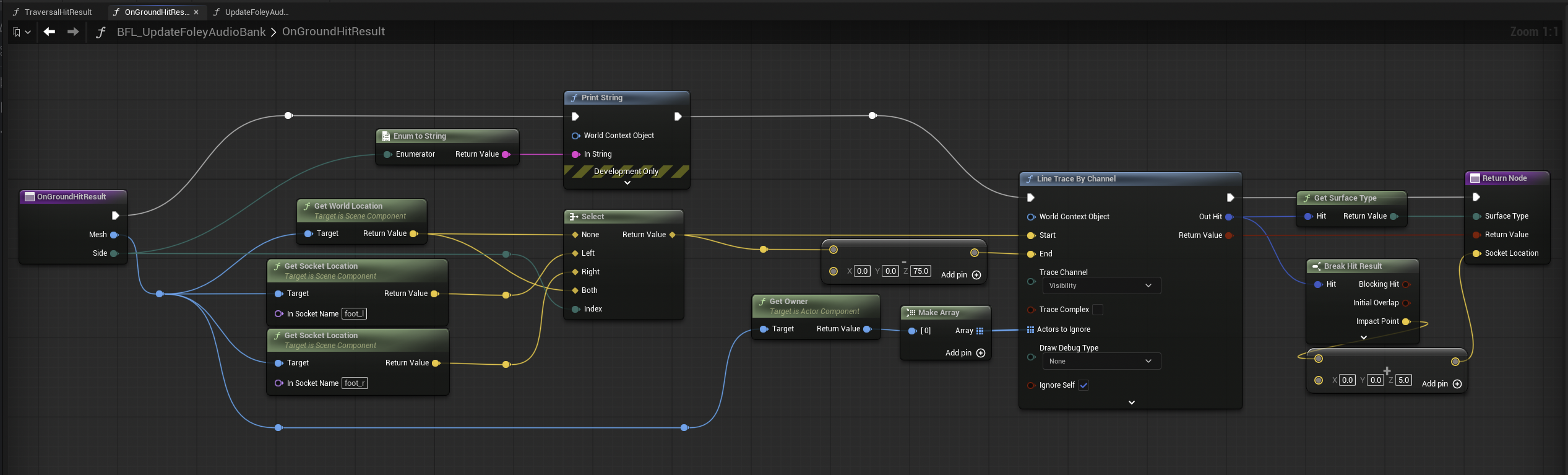
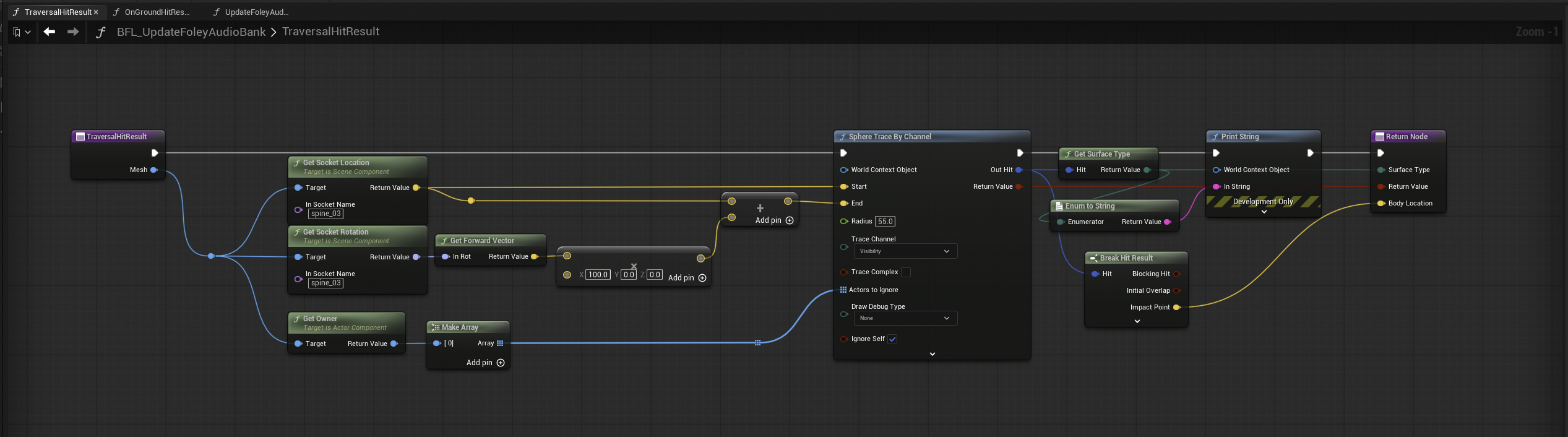
A simple short sphere trace resolves the physical surface from the character's ground hit result, so footsteps switch naturally between concrete, metal, grass, and the rest of the surface set as the player moves. In the case of Traversal movements when no foot trace is detected, the system dynamically checks surfaces from the body allowing a vault or mantle to resolve what the hands and body actually touch. This allowed for a much tighter trace range when moving from any angle or height.
02 | Foley Banks
Data-Driven Sound Sets
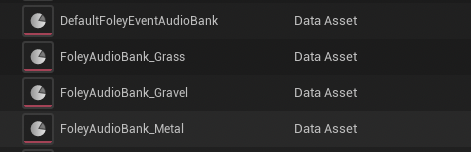
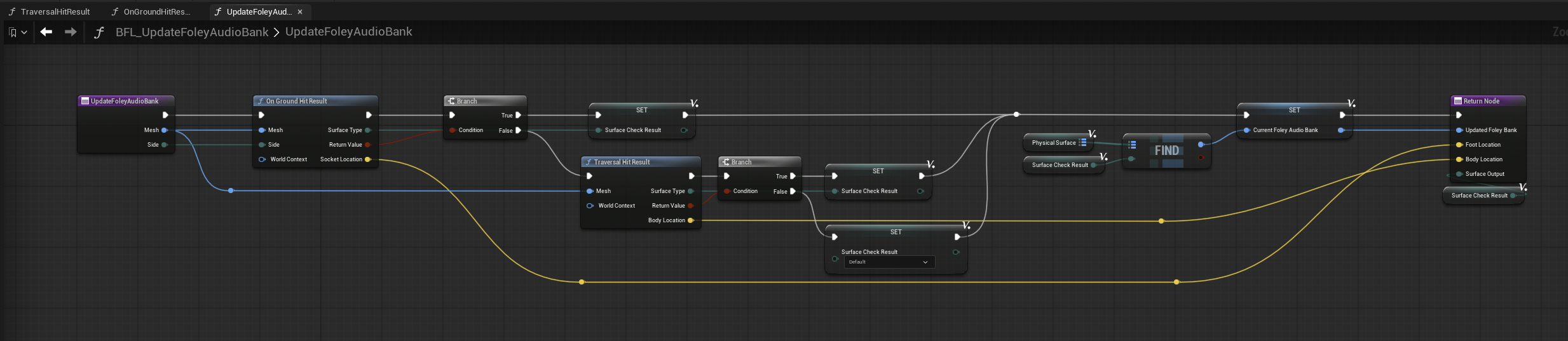
Each Foley bank lives in a Data Asset bank rather than hard-wired references. Each bank maps movement event gameplay tags to their sound sets, and a custom function handles the surface-to-bank map resolver at runtime. This is a similar workflow to using a switch or random container in Wwise, but eliminates middleware dependency and is easily extended with Blueprint or C++.
03 | Foley Events
Animation-Driven Playback
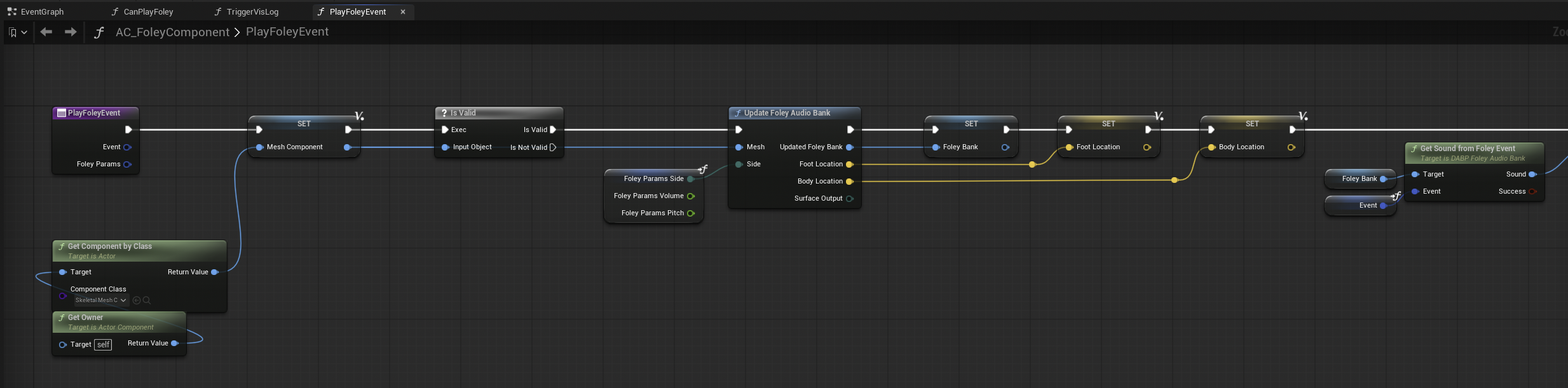
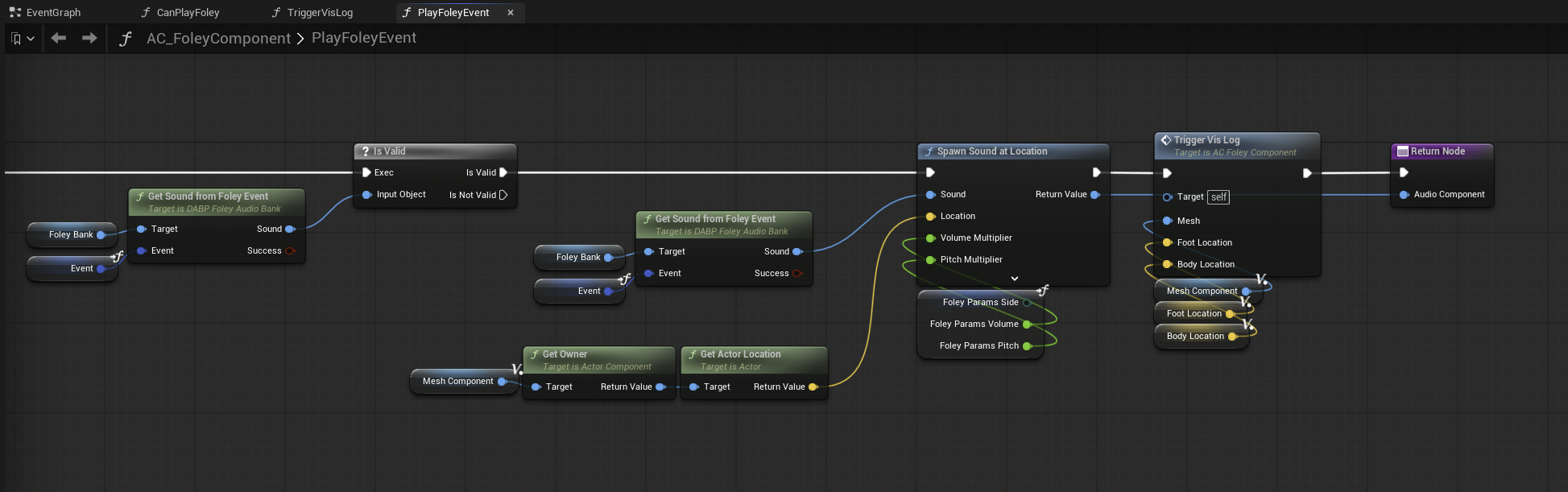
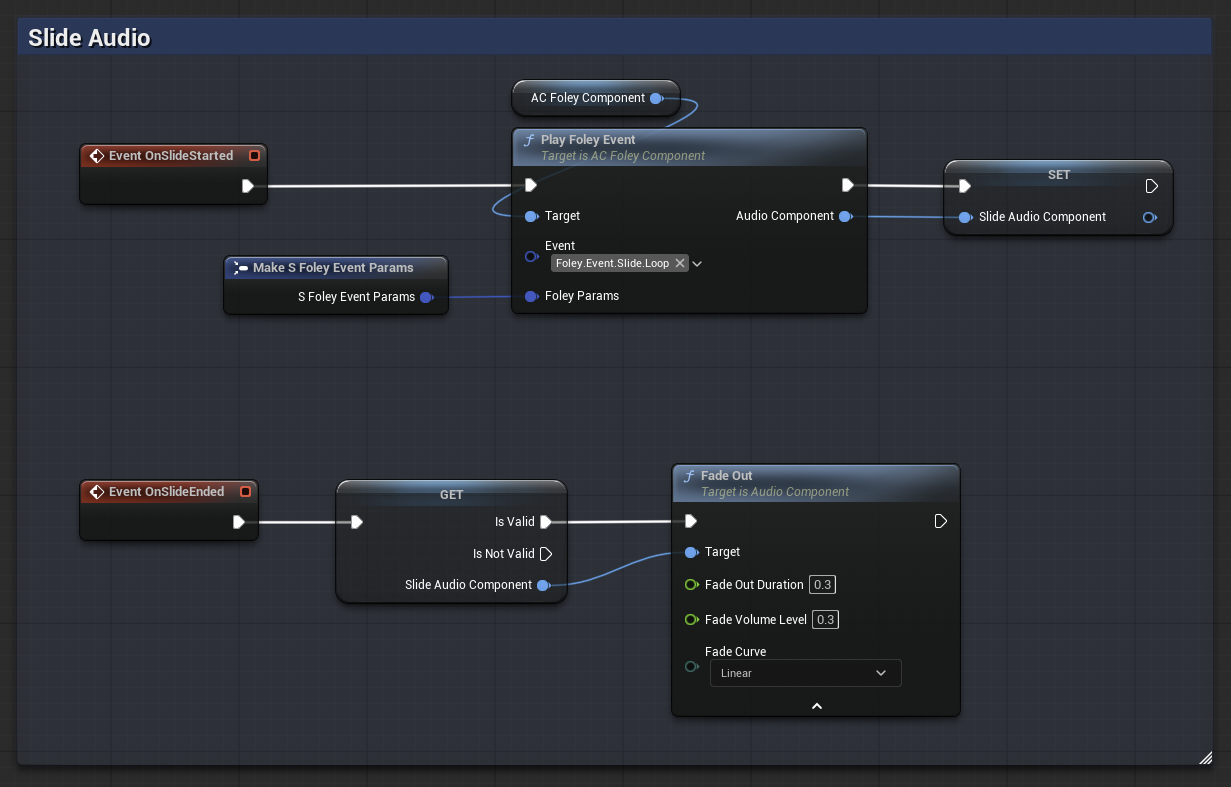
Playback runs through a single foley Event path driven by the AnimNotifies within animation sequences. Each movement sound (Walk, Run, RunBackwards, Scuffs, Pivots, Handplants, etc) flows through the notify, Foley component, trace functions, and surface bank maps to create the runtime variations. Sustained actions like slides use their own events and audio components, handling the start, loop, and stop states.
04 | Team Sound Management
Mix Policy by Identity
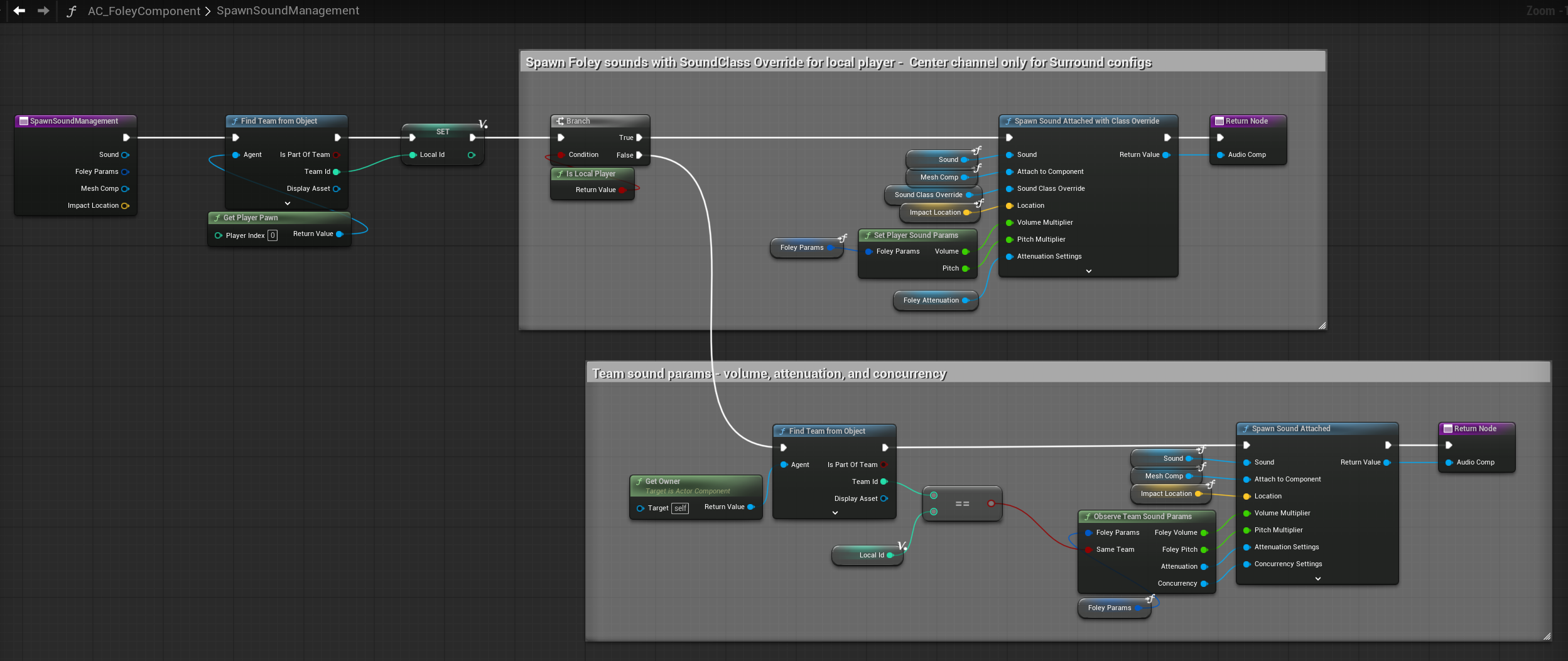
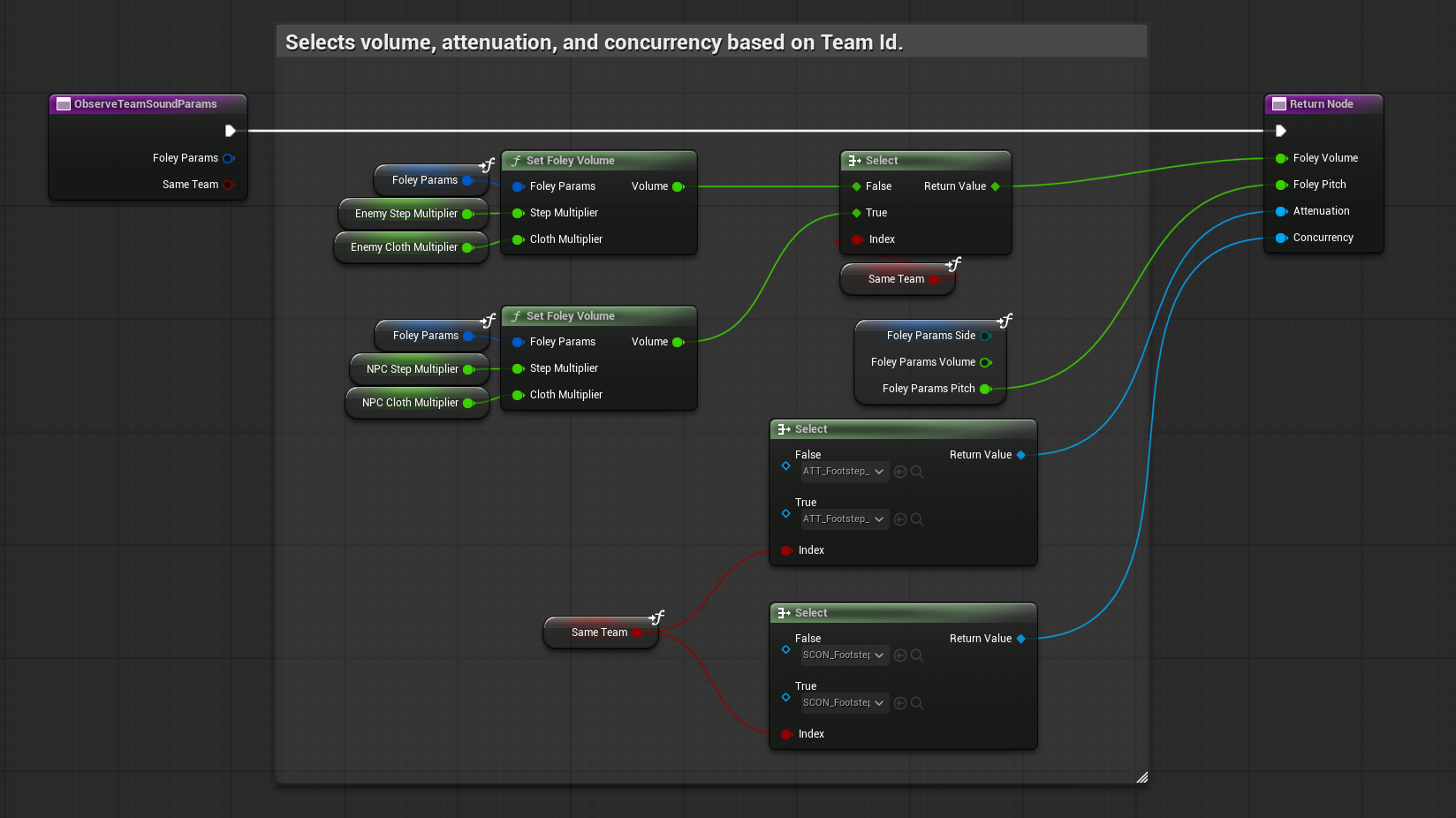
Footsteps carry information, so the mix treats them as policy. When a foley sound spawns, the component resolves the owner's team id against the local player and selects the appropriate identity: volume multipliers, attenuation settings, and concurrency pools. Friendly footsteps sit under the local player, while enemies run their own concurrency pool with a louder, longer reaching preset. The per-notify parameters from the animations still drive the differences between individual hits. The team layer only scales the policy on top.
The local player takes one more step. Their foley spawns through a custom SpawnSoundAttachedWithClassOverride node that routes self-movement to the center channel on surround configurations, so the player's own body stays anchored to the screen while the world pans around it. That routing sits on an engine-level fix of mine, since stock Unreal could not fold 2D stereo sounds into the center channel at all.
05 | Cloth Layer
A Recorded Fabric Layer per Character
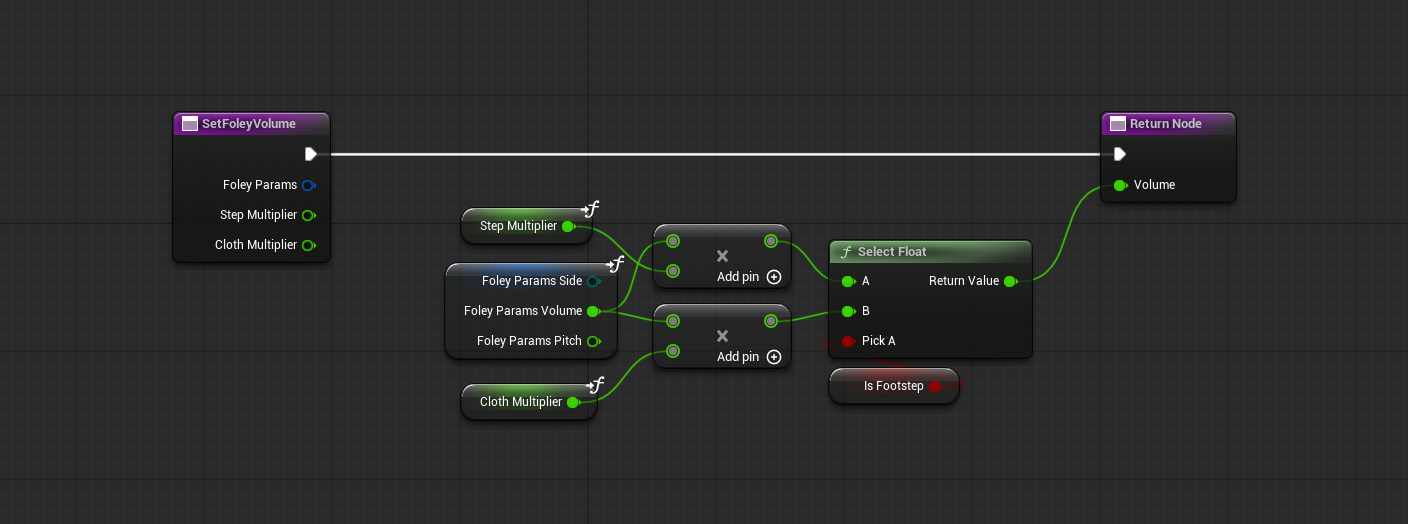
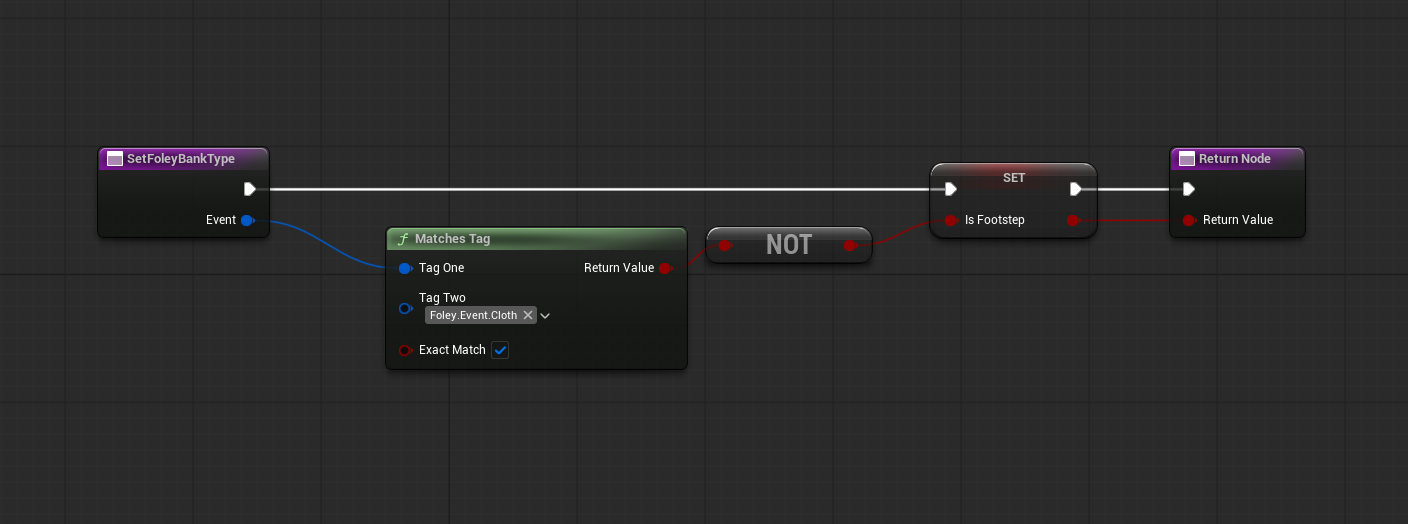
Cloth runs as its own event beside the footsteps. A tag check separates cloth events from body movement, and each team's policy carries separate multipliers for the step and cloth layers, so a character's fabric can sit differently in the mix than their boots. The source recordings are the Mid-Side jacket sessions from the Gear Foley sessions, and the notify pass across the locomotion set, about 400 animations with per-gait timing offsets, was authored with the Copy Notifies pass in the Foley Editor Tool.
Movement itself is covered on the RedCell Gameplay & Movement page.