FOLEY EDITOR TOOL

Live Demo
A standalone Unreal Engine editor plugin that turns footstep events from a manual, per-animation chore into a batch operation. Built as an extension of Epic's FootstepAnimEventsModifier, it detects foot strikes, generates sync markers and notifies, swaps existing notifies, and cleans up legacy data across one animation or hundreds at once.
Standalone UE 5.7+ editor plugin · C++
01 | Workflow
Docked Editor & Batch Processing
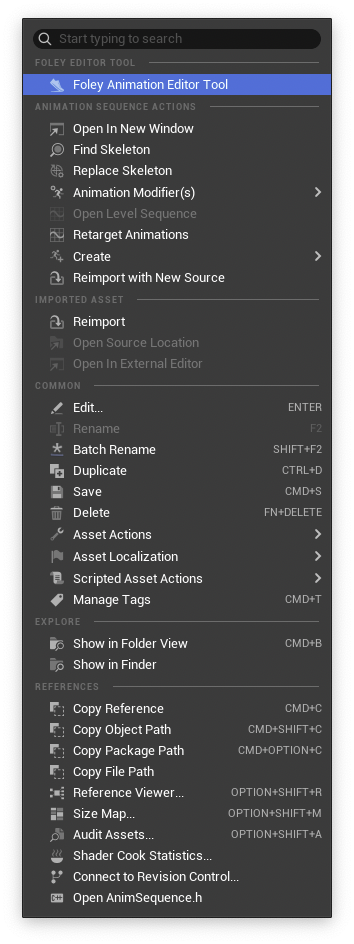
The tool runs as a docked window right next to the Details panel inside any animation sequence. This means no separate windows and no context switching. Just tune the detection settings, run it, and the notifies land on the timeline.
The same workflow scales: select any number of animations in the Content Browser and launch the batch edit window to process the whole set in one pass. This was built to handle large animation batches, not just one-off sequences.
02 | Presets
Config-Backed Preset System
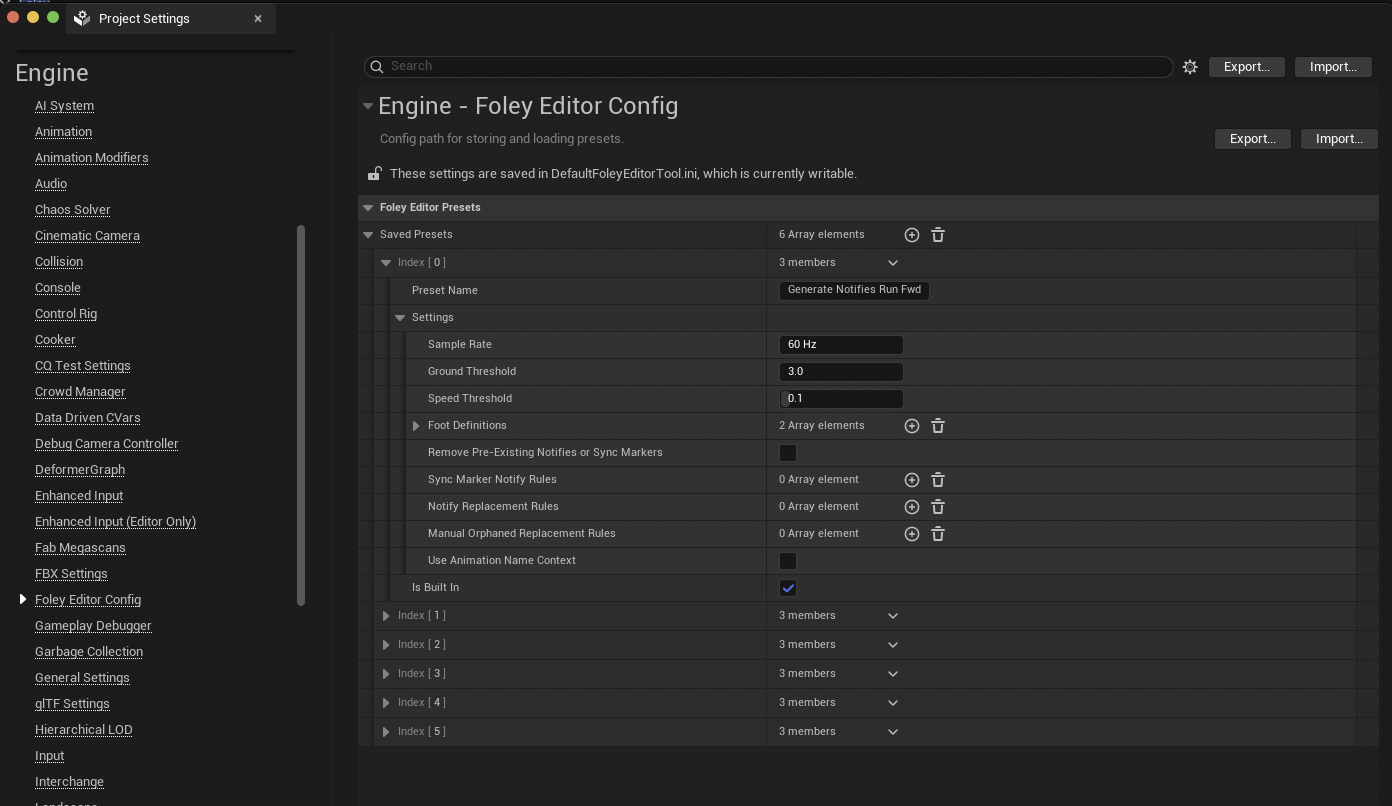
A set of presets can be configured in Developer Settings, which store and load complete tool setups, speeding up the process by pre-filling repeated steps. The plugin ships with curated presets that generally work for most bi-pedal skeletons however, custom presets can be added or removed easily per project from this config or directly from the main editor window.
03 | Detection
Per-Foot Detection Settings
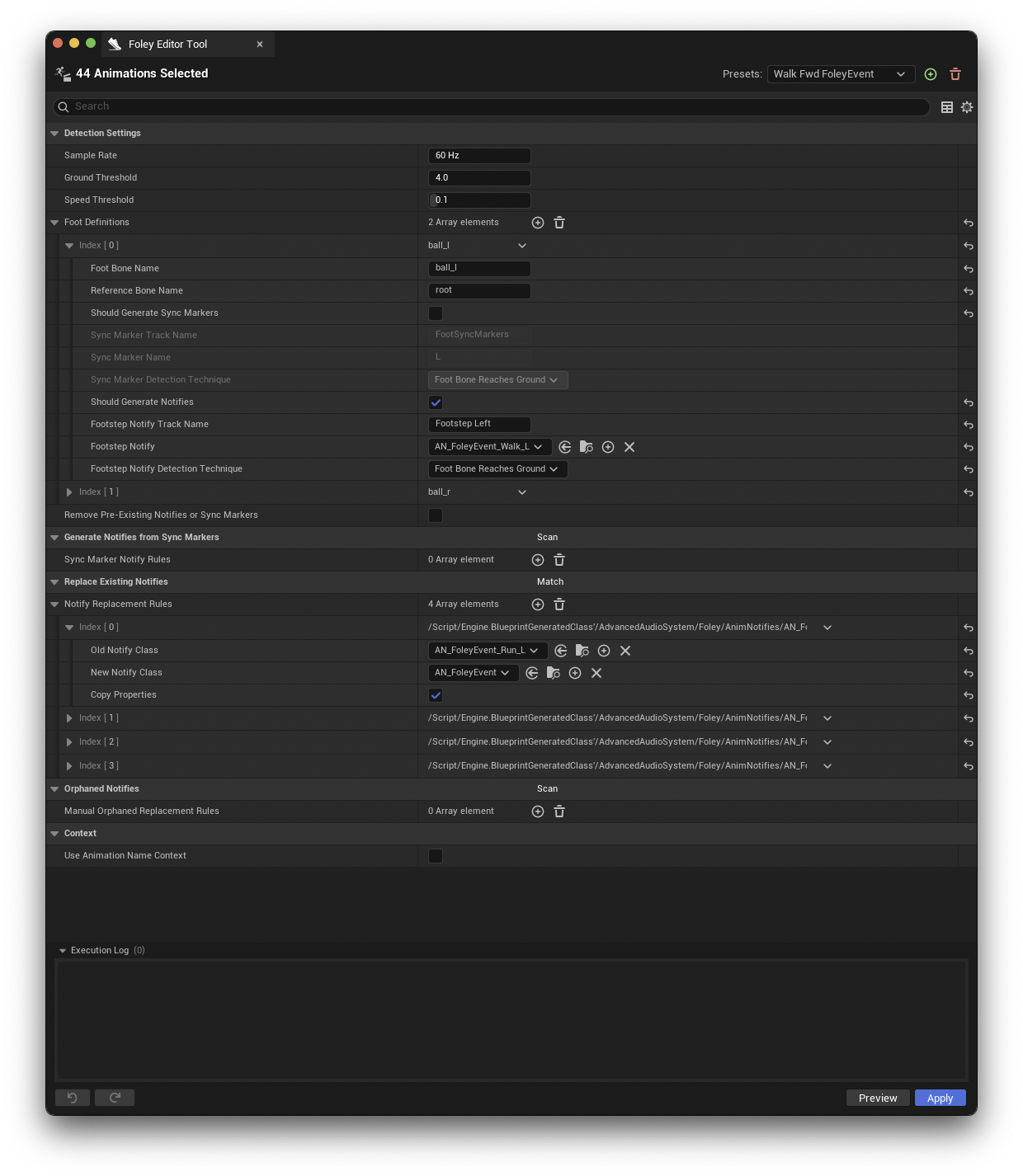
Detection is driven by SampleRate, GroundThreshold, and SpeedThreshold, with optional removal of pre-existing notifies or sync markers. Each FootDefinition pairs a foot bone with a reference bone and independently controls what gets generated per foot.

04 | Conversion & Cleanup
Migrating Existing Animation Data
Real projects rarely start clean, so the tool migrates what's already there. GenerateNotifiesFromSyncMarkers scans selected animations for existing sync markers, auto-populates the lane mappings, and generates notify tracks with the chosen notify class placed at every marker.
ReplaceExistingNotifies swaps notify classes across a whole selection. The Match button scans for existing classes and auto-suggests replacement pairs, picking the best match for left or right based on old-class and new-class pickers. There is also optional property copying from the originals. OrphanedNotifies scans for notifies whose classes no longer resolve, match them by name pattern, and re-point them at a valid class.
05 | Safety
Execution Log with Undo / Redo
Every run leaves a visible snapshot trail in an execution log inside the window, with undo and redo actions per entry. While the window is in focus, batch operations across hundreds of animations stay reversible, which is what makes the batch workflow safe to use.
06 | Copy Notifies
Authoring a New Foley Layer from an Existing One
The Copy Notifies pass reads the notifies already authored on an animation and stamps a new layer from them. A Match button scans the selection and builds one rule per notify class and event tag pair, new rules inherit their settings from the last completed rule, and each rule carries its own target track, time offset, and property handling. A negative offset places cloth ahead of the foot contact, into the swing of the movement where fabric actually sounds.
This pass authored the cloth layer for the full locomotion set: about 400 animations in an hour and a half, working clip by clip against the Chooser Table with different rule presets and time offsets for Walk, Run, and Sprint. The tool did the placement, and every clip was still reviewed by hand, moving or deleting individual notifies where the animation called for it.
The runtime side of this workflow is covered in the Foley System breakdown.