MULTICHANNEL MAC INTEGRATION

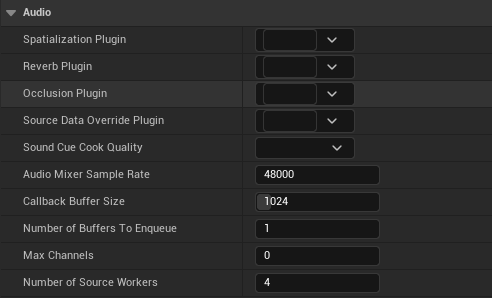
Unreal's AudioMixerPlatformCoreAudio was hard-coded to a 2-channel stereo output, so multichannel content folded to a stereo downmix on macOS while Windows rendered true 5.1. The engine's Mac platform audio settings, including Sample Rate, Buffer Size, Buffers To Enqueue, Max Channels, and Source Workers, were also never read by the backend.
I extended the engine source code with native multichannel output up to 7.1: the device's Audio MIDI Setup speaker configuration is parsed into the engine's channel map, activating Unreal's existing surround panner and scattering the rendered channels to the correct device outputs. Along the way I fixed the sample-rate query and connected every Mac platform audio setting, including async source workers for parallel DSP.
Unreal Engine Source 5.8 (fork) · C++ / Core Audio HAL · Pull request in Epic's integration pipeline
5.1 Demo Download
5.1 Gameplay Download
A short gameplay run-through captured as discrete 5.1 PCM, recorded from the multichannel build. This requires a surround hardware setup with a 5.1 capable player such as QuickTime or VLC.
**Play in QuickTime or VLC with surround output; browsers are not compatible.**
01 | Speaker Configuration
Audio MIDI Setup as the Source
The backend now queries the device's preferred channel layout, the same speaker configuration set in Audio MIDI Setup, and translates each channel label into the engine's channel map. 7.1 layouts resolve sides and rears correctly, Quad falls out of the same parse, and any layout with two or fewer labeled channels takes the original stereo path. Although not advised, Speaker configurations are read on each stream open (Play in PIE), so changes can be applied mid-session without a restart.
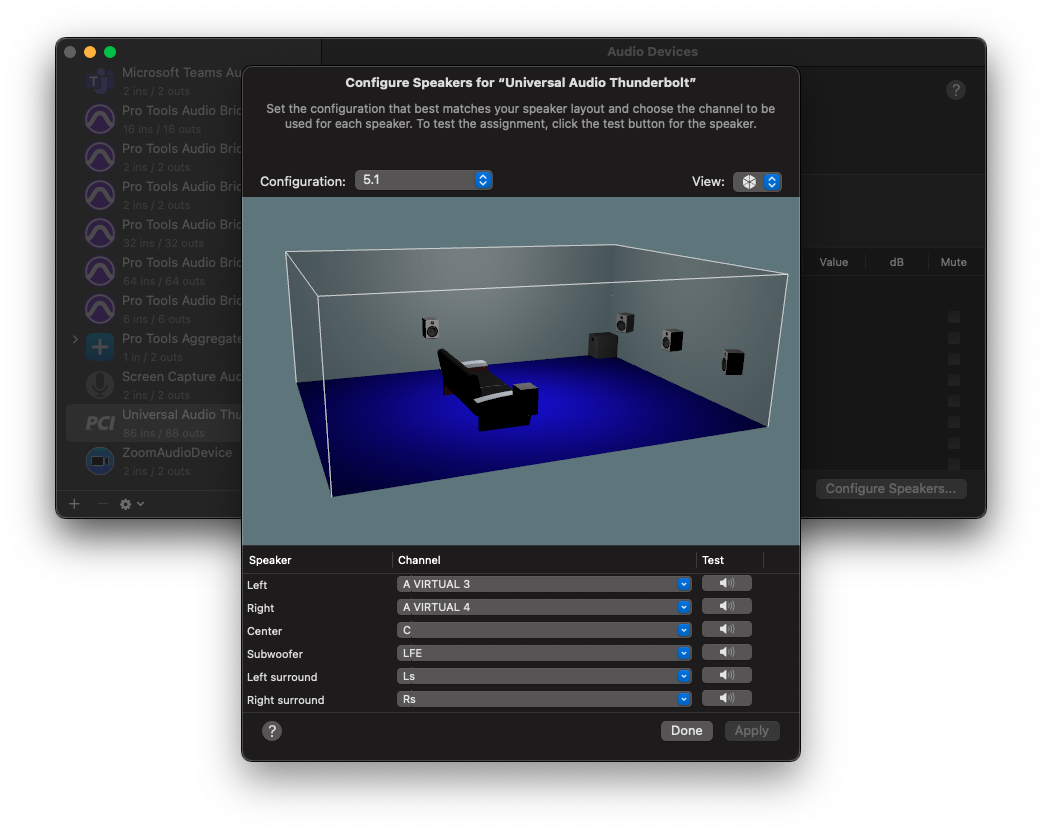
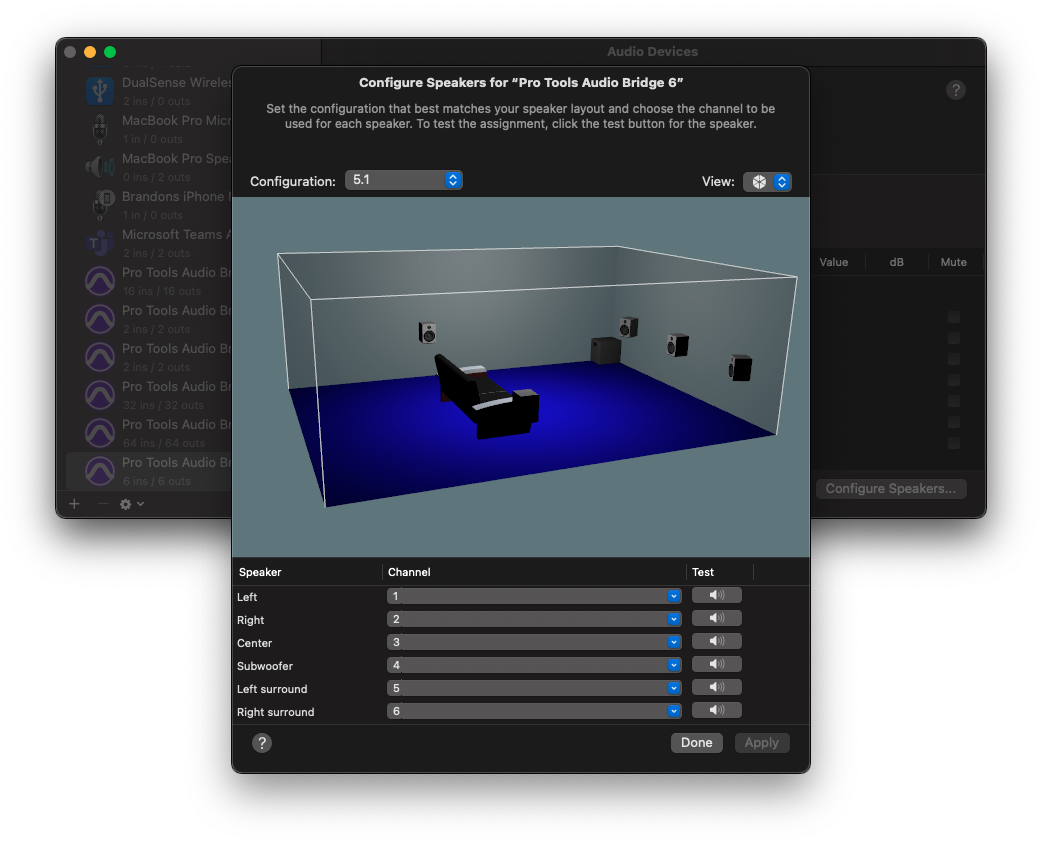
02 | MultiChannel Rendering
Compact Render, Device Scatter
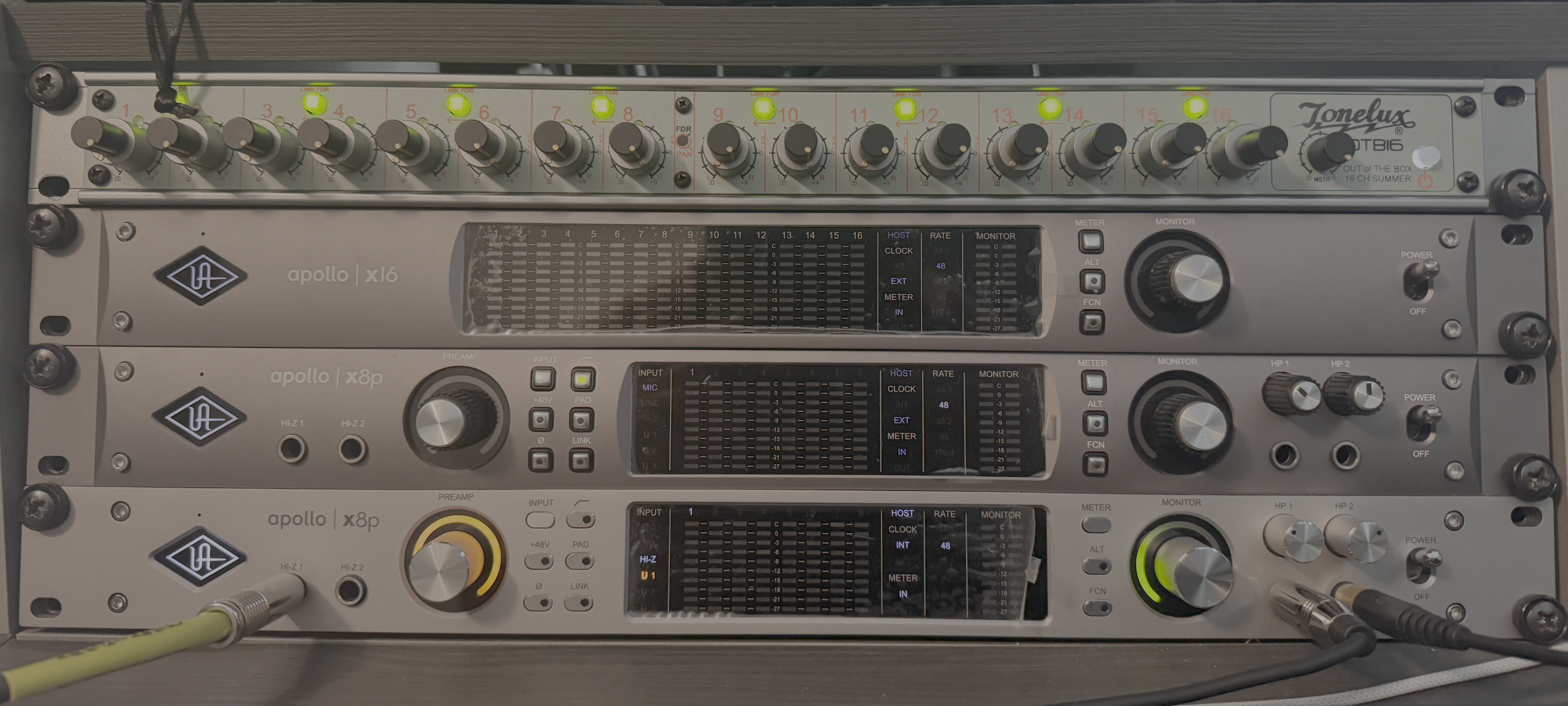
The engine renders a compact interleaved stream of just the labeled channels and reports the real channel list to the mixer, which activates Unreal's existing surround panner with zero mixer changes. The render callback then scatters each rendered channel to its declared device output; AUHAL's channel-map property accepts a map on every scope but never applies it, so the engine performs the scatter itself. Verified with Pro Tools Audio Bridge 6 and an 88-output aggregate (Universal Audio Apollo x8P, x16, and x8PG2), spatialized sources pan across every speaker, including true center and LFE routing.
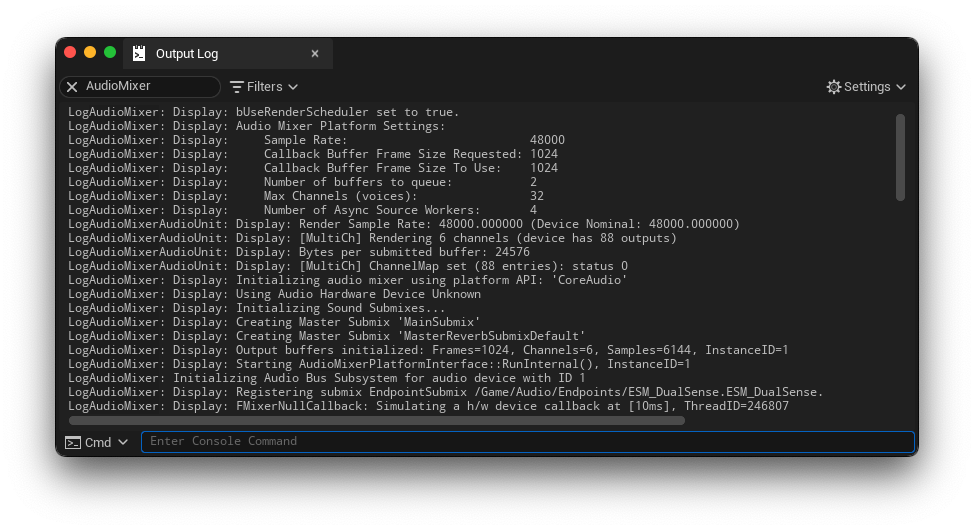
03 | Platform Settings
Sample Rate Pipeline & Source Workers
The stock sample-rate query used a wrong property selector which failed on every launch, so the engine always rendered 48 kHz with the AudioUnit resampling with a log warning. This patch allows the Mac platform settings to set a fixed sample rate, or a value of zero to follow the output device's native rate. Buffer size, buffers to enqueue, max channels, and async source workers are now honored, moving per-voice DSP off the render callback and bringing macOS to desktop parity.
04 | Verification
Calibrated Rig, Measured Cost
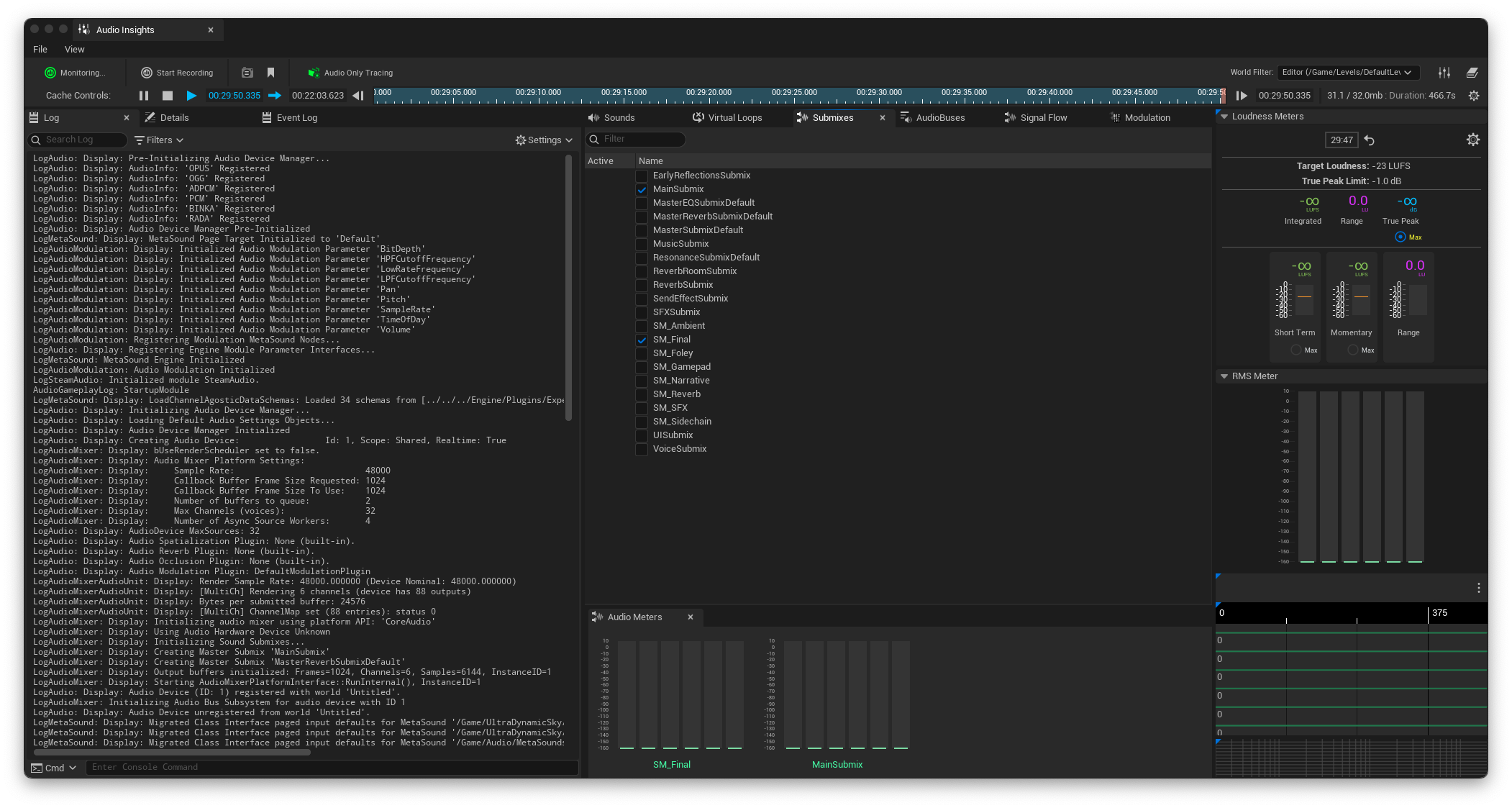
Verified audibly per speaker on a calibrated 5.1 monitoring rig across stereo, Quad, 5.1, and 7.1, with the full sample-rate matrix at 48 and 96 kHz, pinned and device-follow, plus mid-session speaker reconfiguration. Integration testing surfaced a channel flip on devices whose output count matches the render count; reproduced the issue and fixed with a manual render-callback scatter within the week. Final verification deliberately switched Center and LFE in Audio MIDI Setup: the engine tracks the declared layout exactly as Core Audio does. Render cost measures about 1.2 ms against a 21.3 ms callback budget at six channels. The Audio Insights session below shows discrete 5.1 metering with the full submix signal flow and a gameplay loudness pass holding an integrated -23 LUFS target under a -1 dB true peak limit.
Used in production in RedCell's audio systems.