AUDIO SETTINGS & MIX ARCHITECTURE

Audio Settings Overview
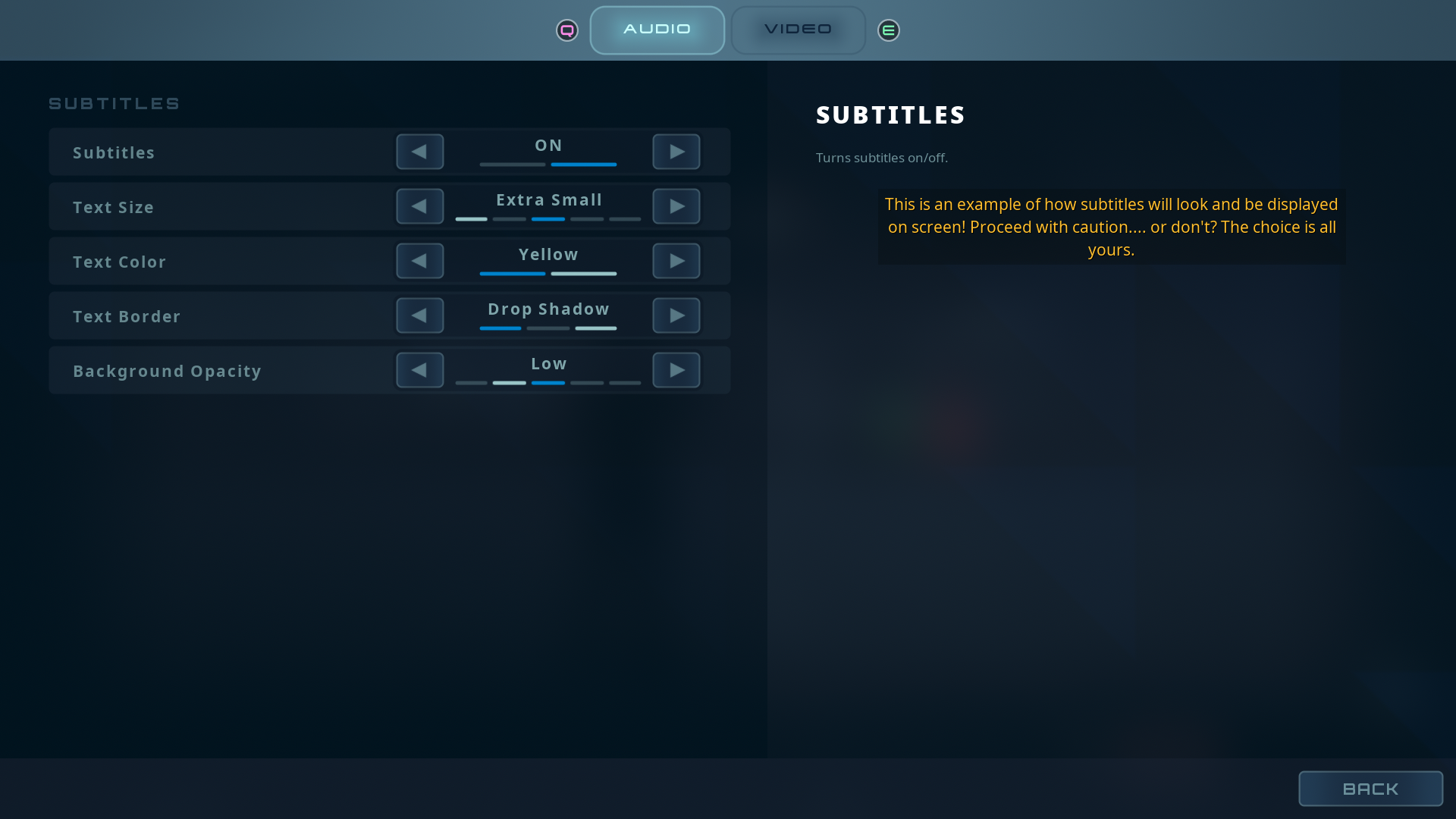
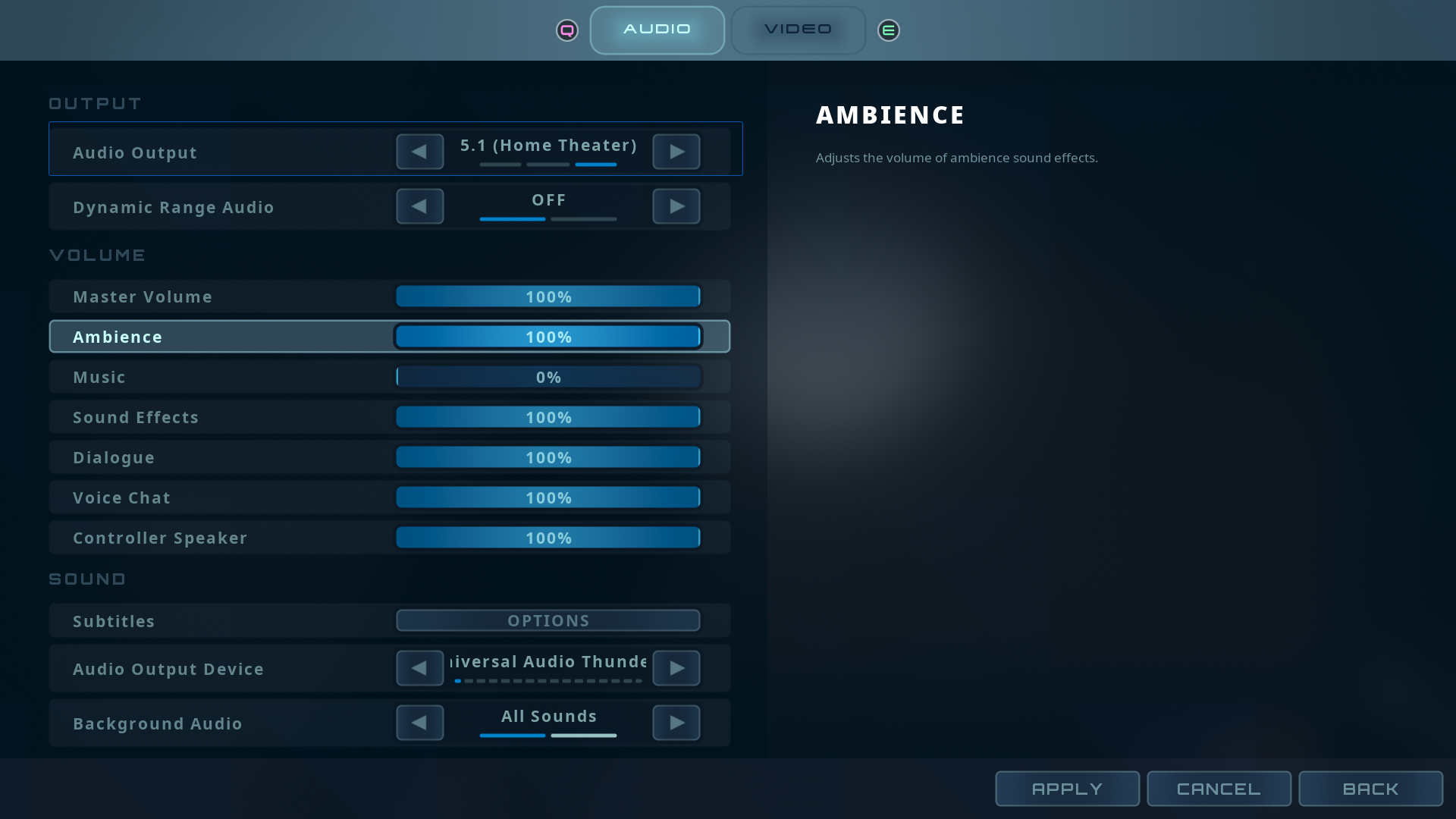
Audio features should be controllable by the player. To get some hands-on experience, I implemented a full stack, runtime options screen with output format presets, output device selection, independent volume control, dynamic range, background audio, and subtitles.
The screen is based on Lyra's GameSettings registry over a control-bus mix architecture: volume sliders drive a Sound Control Bus registered in a user mix, with parameter patches modulating the designated SoundClasses underneath. Settings persist per local player as appropriate, load at boot, and reapply at every game start.
Game Settings · Control Bus · Audio Modulation Parameter Patches
01 | Control Bus Mix
Seven Buses, Live
Master, Music, Ambience, Sound Effects, Dialogue, Voice Chat, and Controller Speaker each have a dedicated control bus staged in the user mix. The buses and user mix are assigned once in a custom Audio Settings panel in Project Settings, so the registry, the mix subsystem, and the settings screen all resolve the same assets. The Audio Mix Subsystem applies the saved settings at startup, and volume sliders update the running mix immediately. For instance, the Ambience bus modulates the dynamic weather system's volume directly, so a single slider controls an entire surround ambience bed.
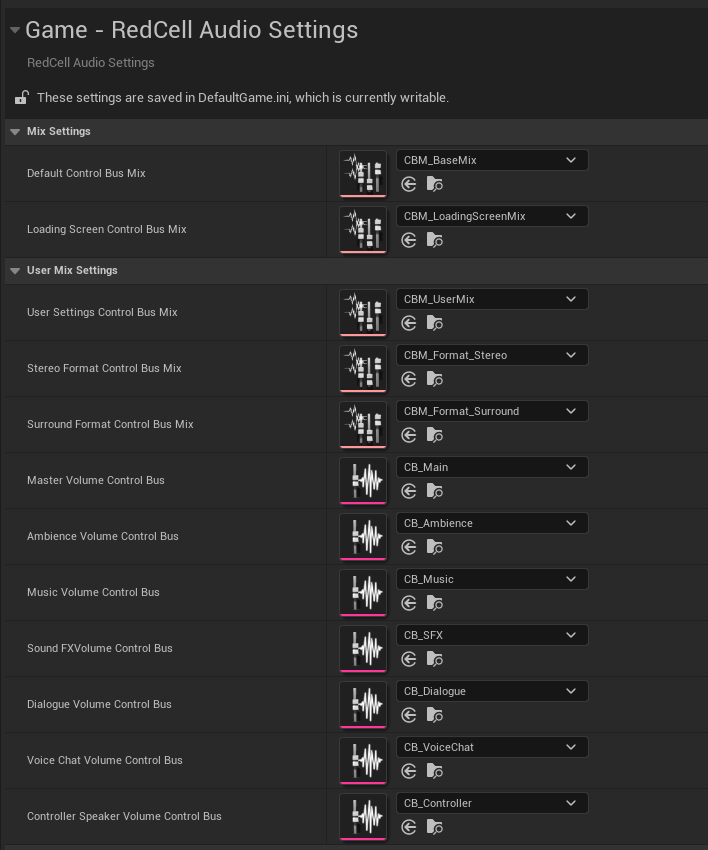
Stereo and surround formats are mixed separately rather than folded. These mixes layer over the User Mix and swap with the output preset. In my current mix, the stereo overlay trims the ambience bed that a surround spread can carry louder in 5.1, while the surround overlay trims dialogue that the center blend carries between LCR. Each overlay touches only the buses for the selected format, cuts rather than boosts, and fades in, so switching formats in the settings menu rebalances the mix at runtime while the player's own slider settings remain untouched.
02 | Submix Routing & Dynamics
Buses Set the Levels, Submixes Carry the Signal
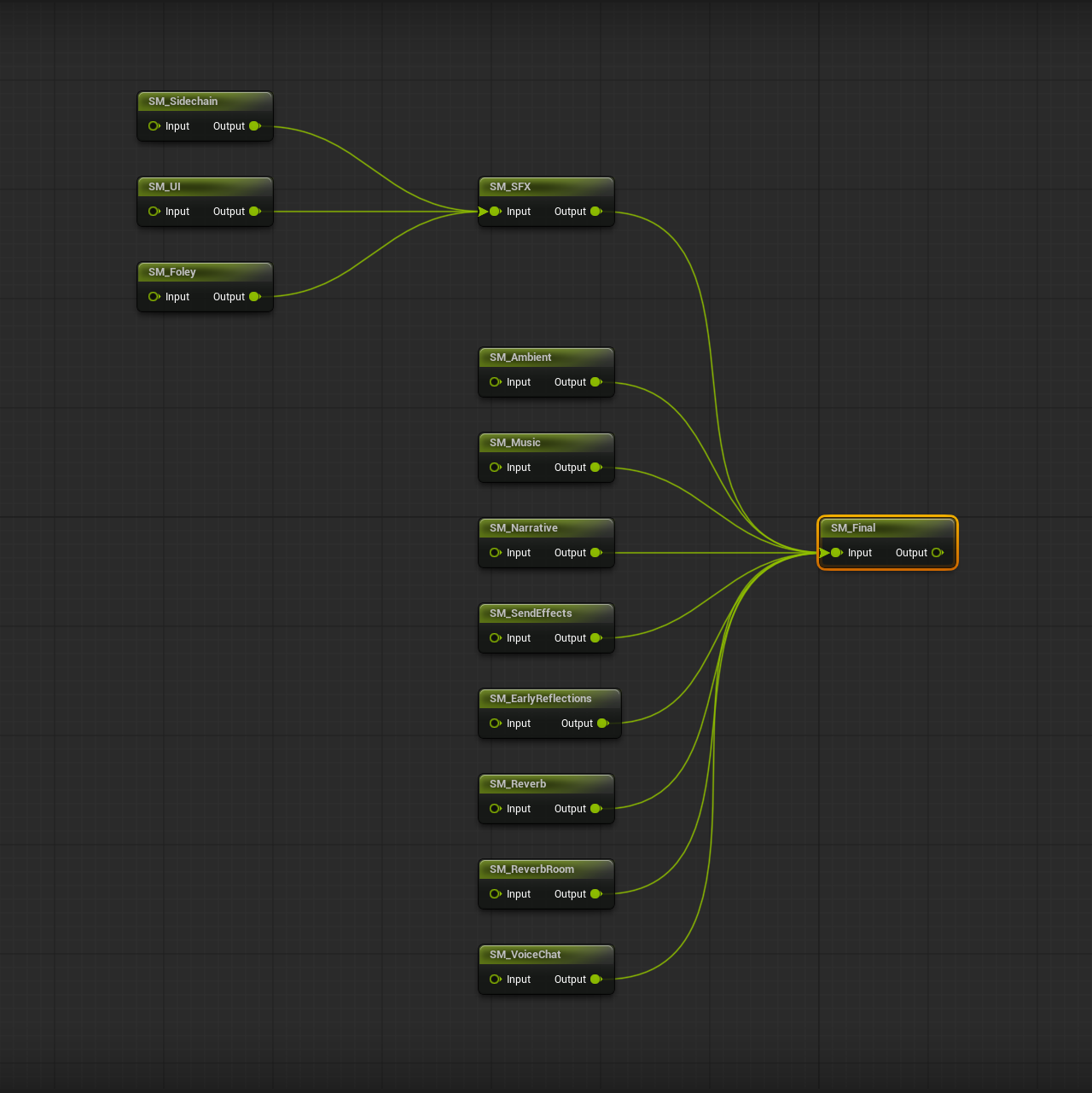
The routing sits underneath the modulation layer: UI, foley, and a dedicated sidechain stage feed the SFX submix, while ambient, music, narrative, voice chat, and the effect returns (send effects, early reflections, reverb stages) sum to the final mix. The sidechain path drives ducking through Dynamics Submix Effect Chains keyed from an Audio Bus.
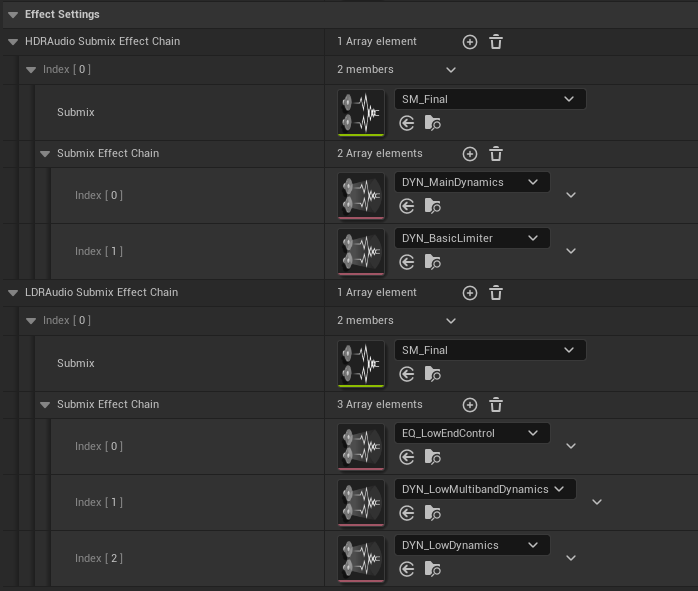
The Dynamic Range settings swap the effect chain on the final mix. HDR's master flows through subtle compression into a unity true-peak limiter, keeping the low end and LFE punch. LDR runs a low-end EQ cut around 150 Hz into more aggressive multiband compression: less sub energy and denser dynamics for small speakers and late-night listening. Both modes are closely measured by integrated and true peak loudness, holding the same integrated level under a -1 dB ceiling.
03 | Output Format & Device
The Engine Features, Surfaced
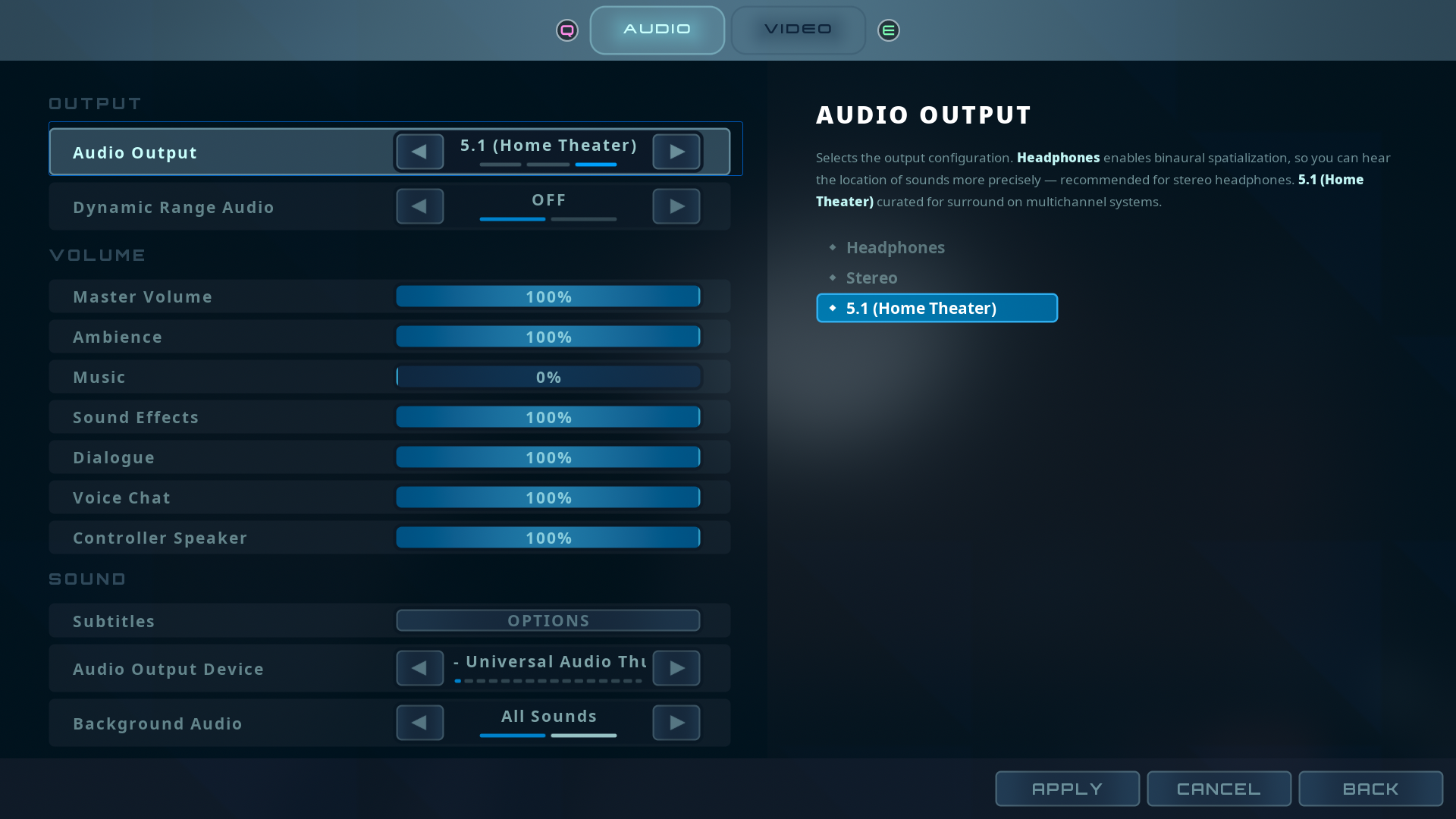
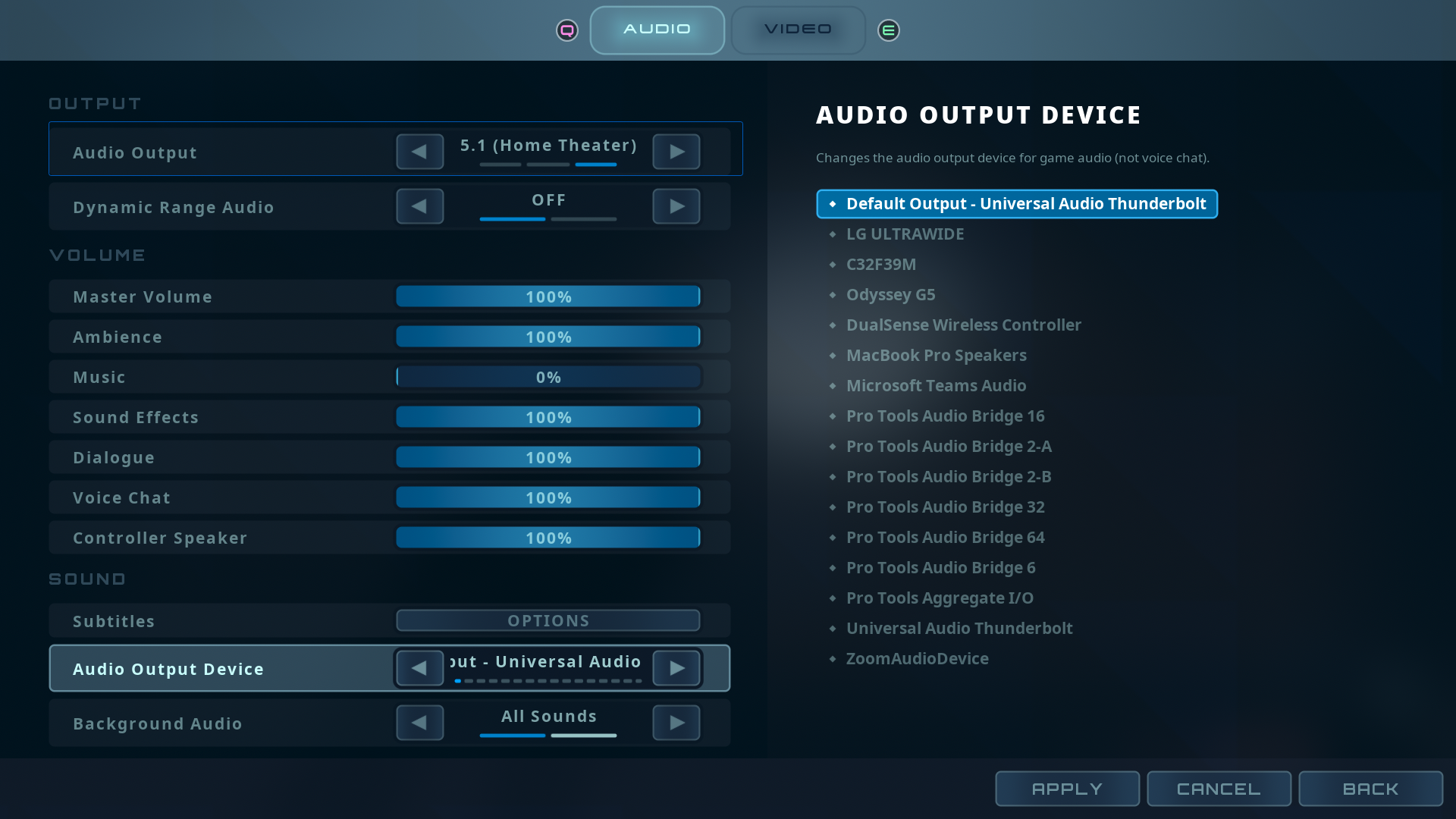
The Audio Output preset maps straight onto the render-format work: 3D Headphones enables binaural spatialization, Stereo renders the classic path, and 5.1 Home Theater renders discrete surround on multichannel systems. The Audio Output Device row lists enumerated hardware and live-swaps mid-session through my custom engine's new Core Audio swap path. Dynamic Range and Background Audio round out output control, with background window playback honored in packaged builds.
The engine side of the device list and format switching is covered in Device Selection & Render Formats.
04 | Controller Speaker
A Volume Slider for DualSense
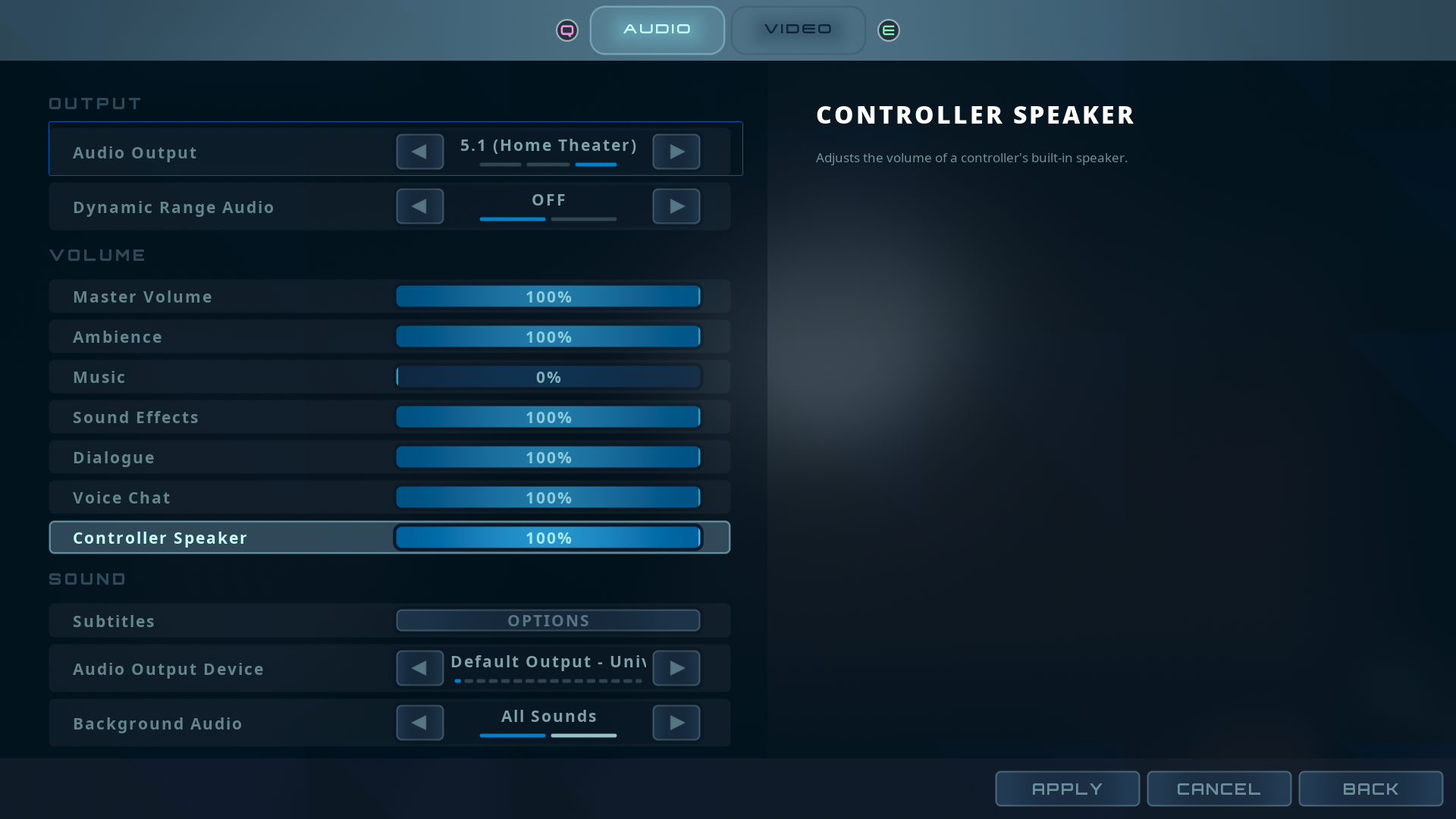
Select sounds route to the DualSense controller speaker through a custom Core Audio endpoint. Endpoint submixes cannot host modulation directly, so an intermediate submix carries the volume control modulated by the Controller Speaker bus. The settings slider only attenuates the controller feed, independent of the main mix.
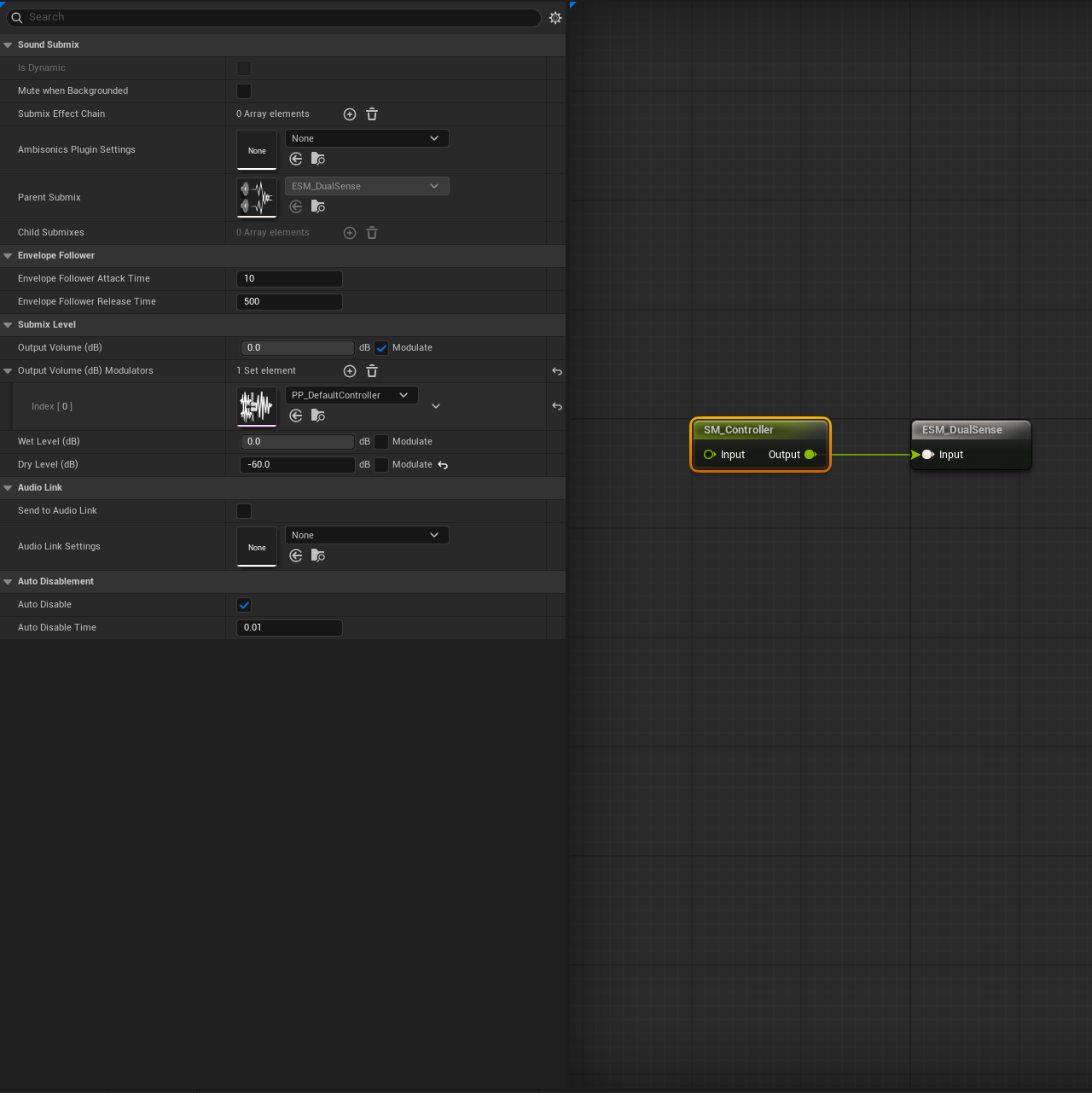
The endpoint itself is part of the standalone plugin covered in UncommonCoreAudio.
05 | Subtitles & Persistence
Settings That Hold
Subtitle display options load from the shared player settings and apply from the first line of dialogue on a fresh boot. Machine settings and player settings are split between local config and save game, both loading at startup through the local player. The apply path skips redundant display changes, so applying changes to audio never triggers a display transition. This ensures that settings stay coherent across sessions.