WEAPON AUDIO


System Overview
Weapon audio in RedCell is implemented as a system, not a set of placed sounds: continuous MetaSounds triggered from the game's replicated cue path, shell foley driven by the physics of the actual ejected brass, a sidechained bus mix, and deterministic per-pawn variation — all built for a multiplayer game where many weapons fire at once.
Implemented in RedCell (UE 5.7) · All sounds designed in Ableton Live
01 | Fire Audio
Continuous MetaSounds, Triggered Remotely
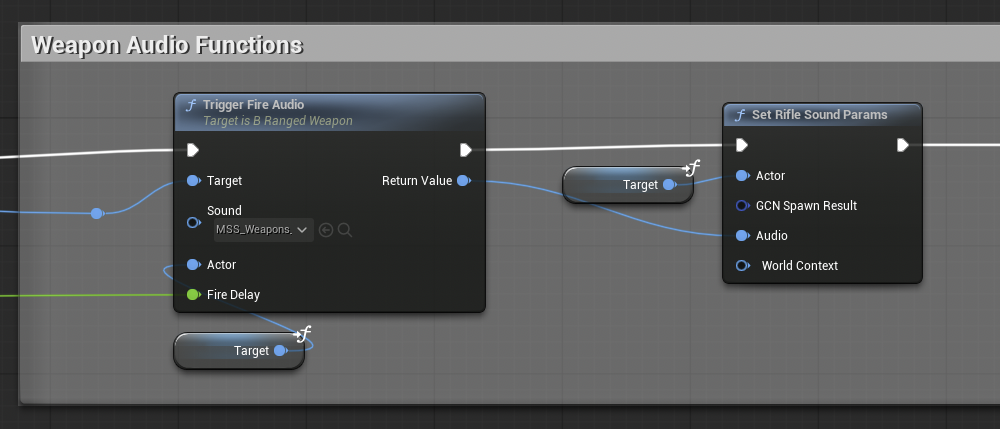
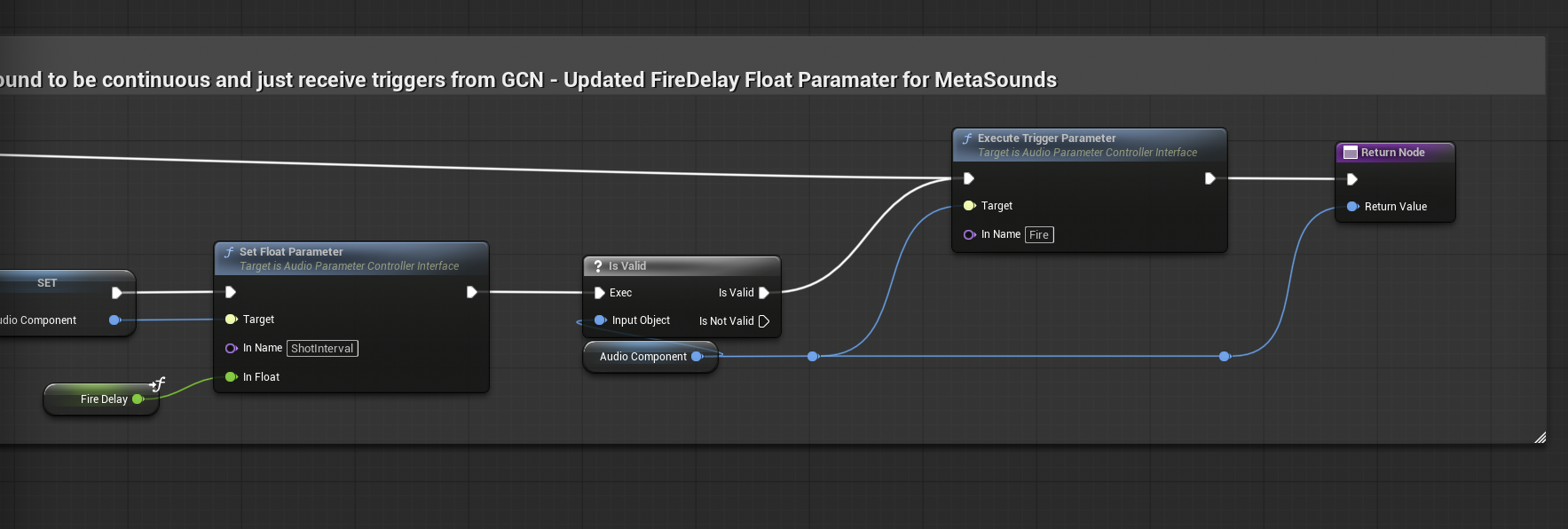
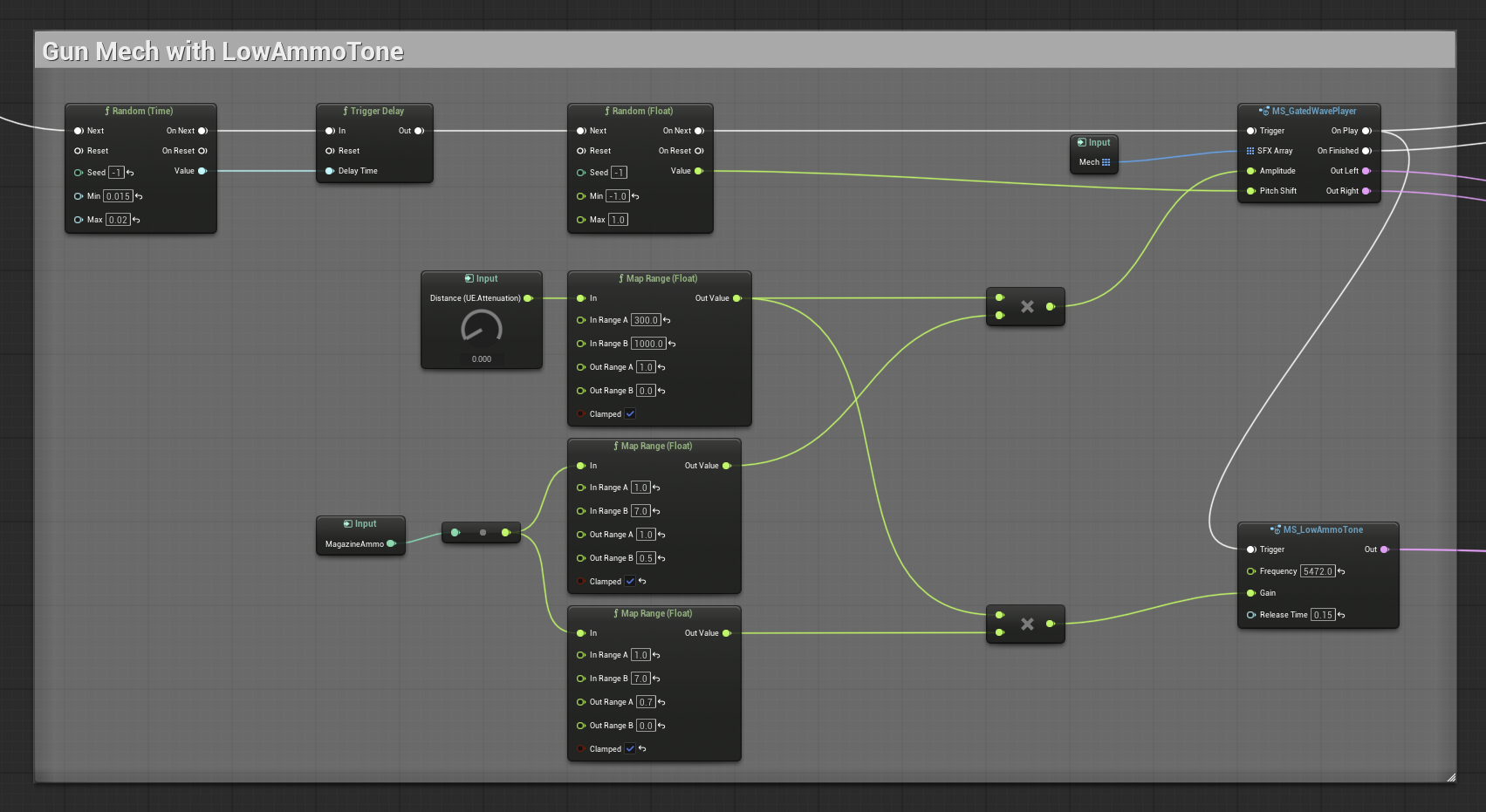
Each ranged weapon owns a continuous weapon MetaSound that receives triggers rather than being respawned per shot: the weapon's GameplayCue notify drives TriggerFireAudio on the weapon Blueprint, which executes the Fire trigger and updates a FireDelay float parameter so the graph tracks the weapon's actual rate of fire.
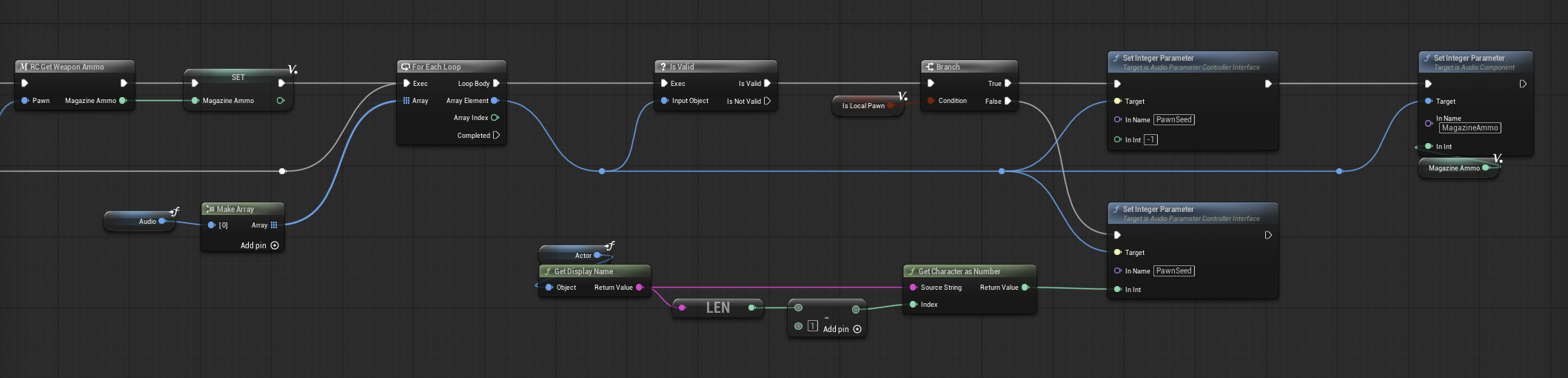
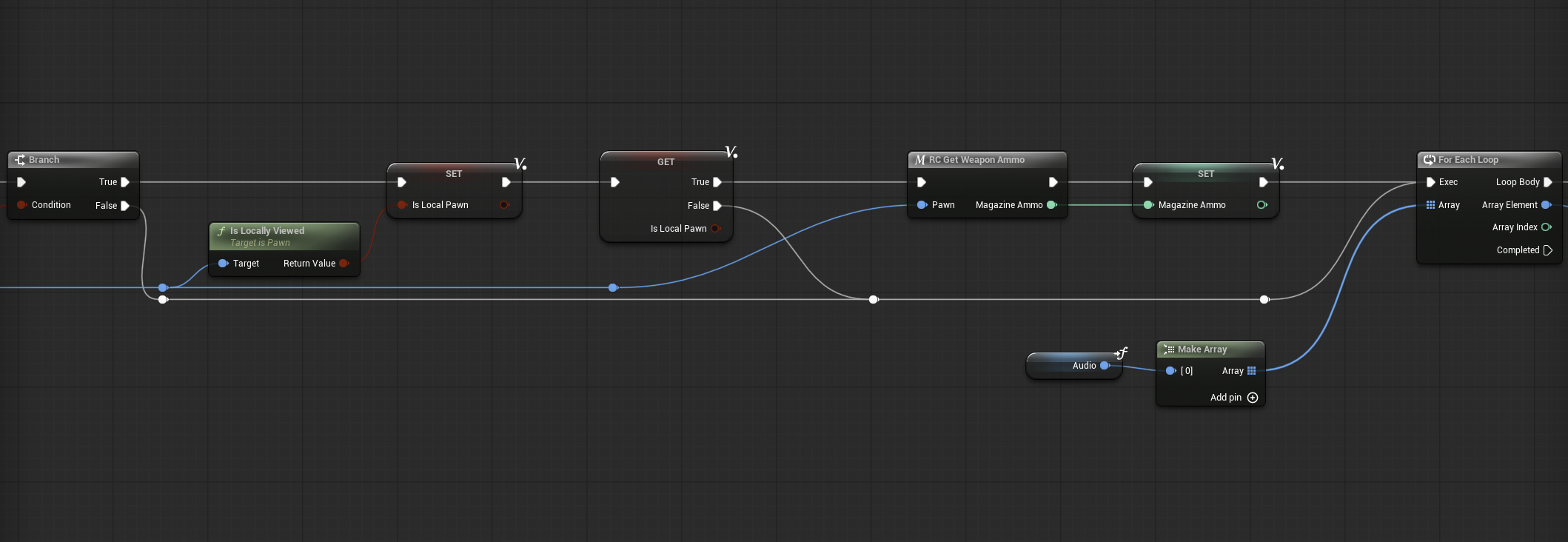
Making that work meant fixing Lyra's stock rifle path: the Rifle GameplayCue and TriggerFireAudio never returned the AudioComponent, so per-pawn parameters had nowhere to land. TriggerFireAudio now returns its component, and the WeaponAudioFunction library (SetWeaponSoundParams / SetRifleSoundParams) loops over the returned components to push PawnSeed and per-state values into the graph — the same seed that drives the shell-eject ducking below. States that only exist server-side — like low-ammo — are gated to the local player, since AI controllers don't exist on clients and AI never plays low-ammo feedback.
02 | Shell Ejects
Physics-Driven Shell Foley
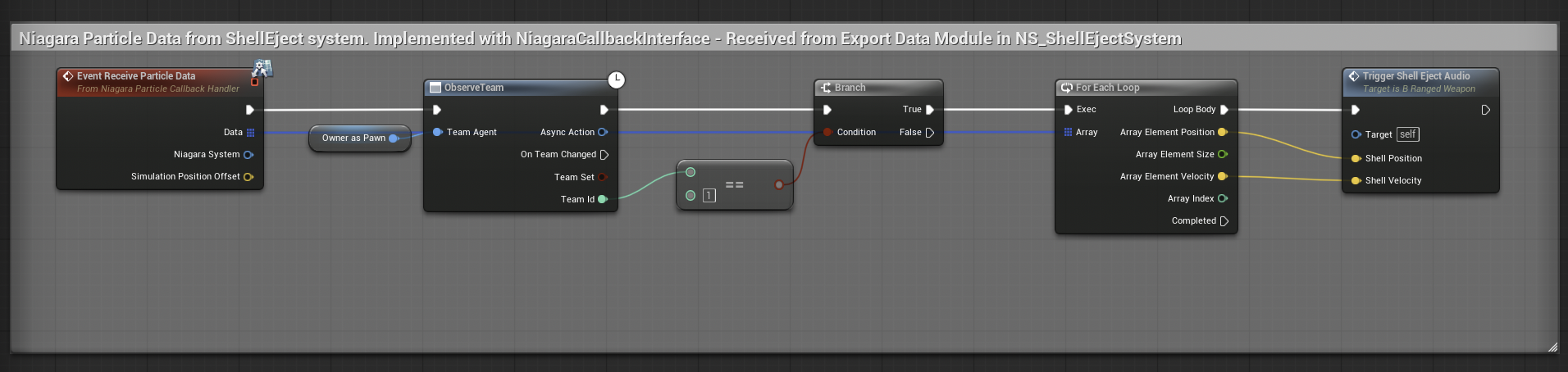
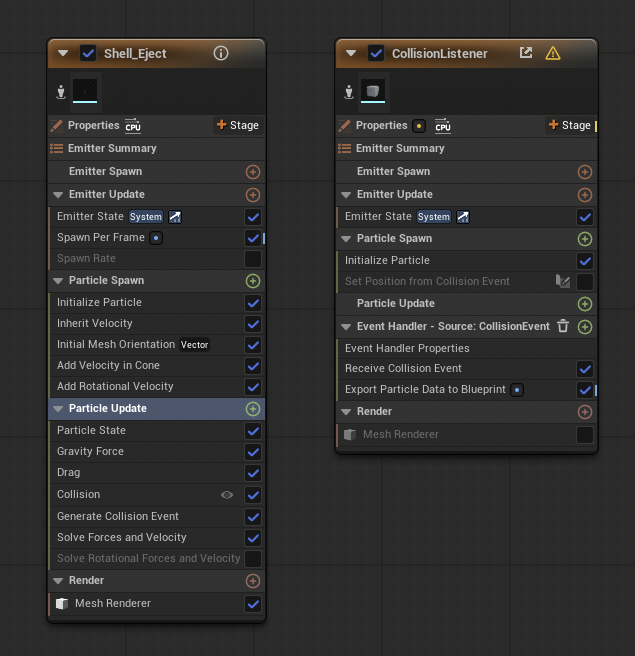
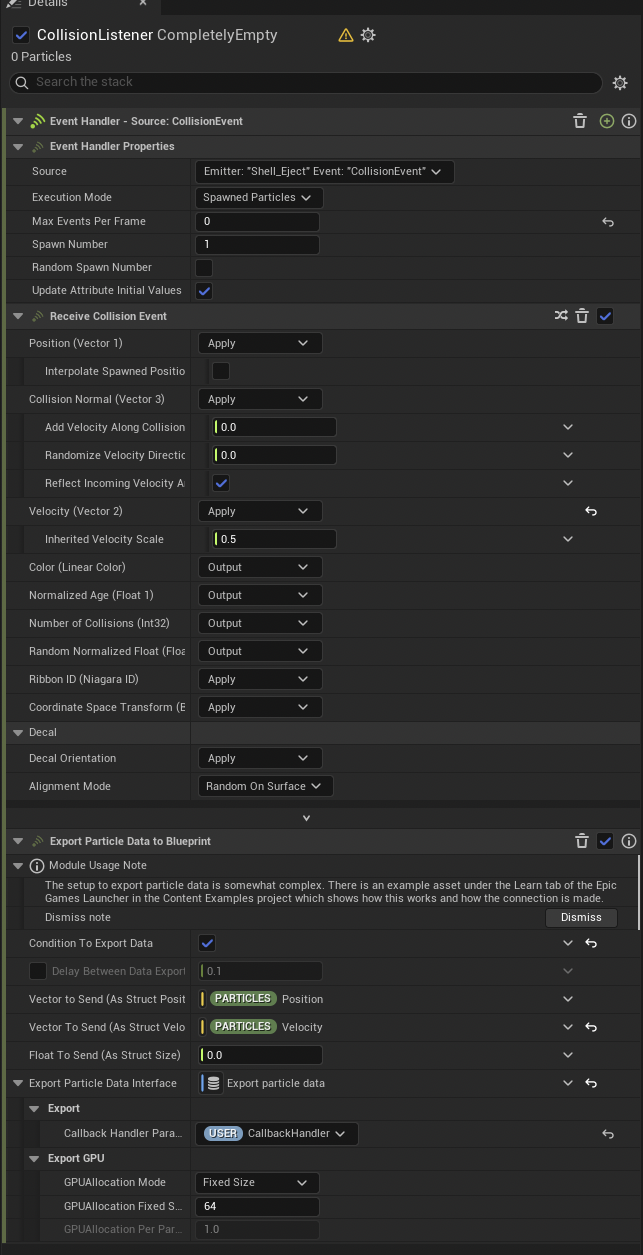
The brass you hear is the brass you see. Ejected shells are simulated Niagara particles, and their audio comes from real collisions: the Shell_Eject emitter generates collision events, and a dedicated CollisionListener emitter — spawned-particles execution, zero rendered particles — receives them and runs ExportParticleDataToBlueprint, sending each impact's Particles.Position and Particles.Velocity back to the weapon through a User.CallbackHandler Niagara user parameter.
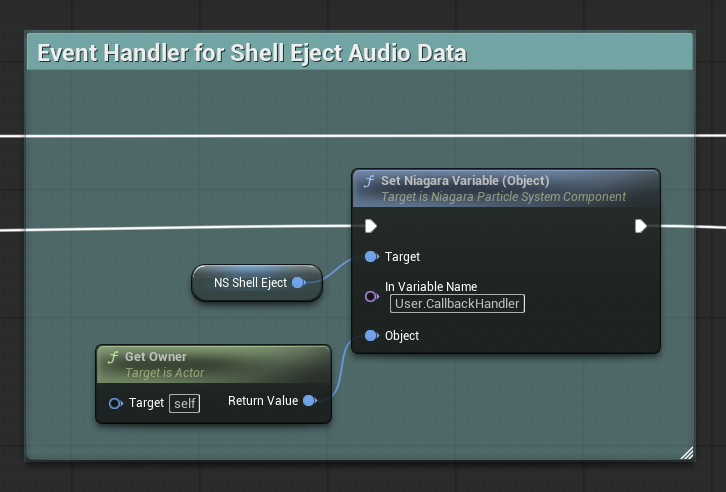
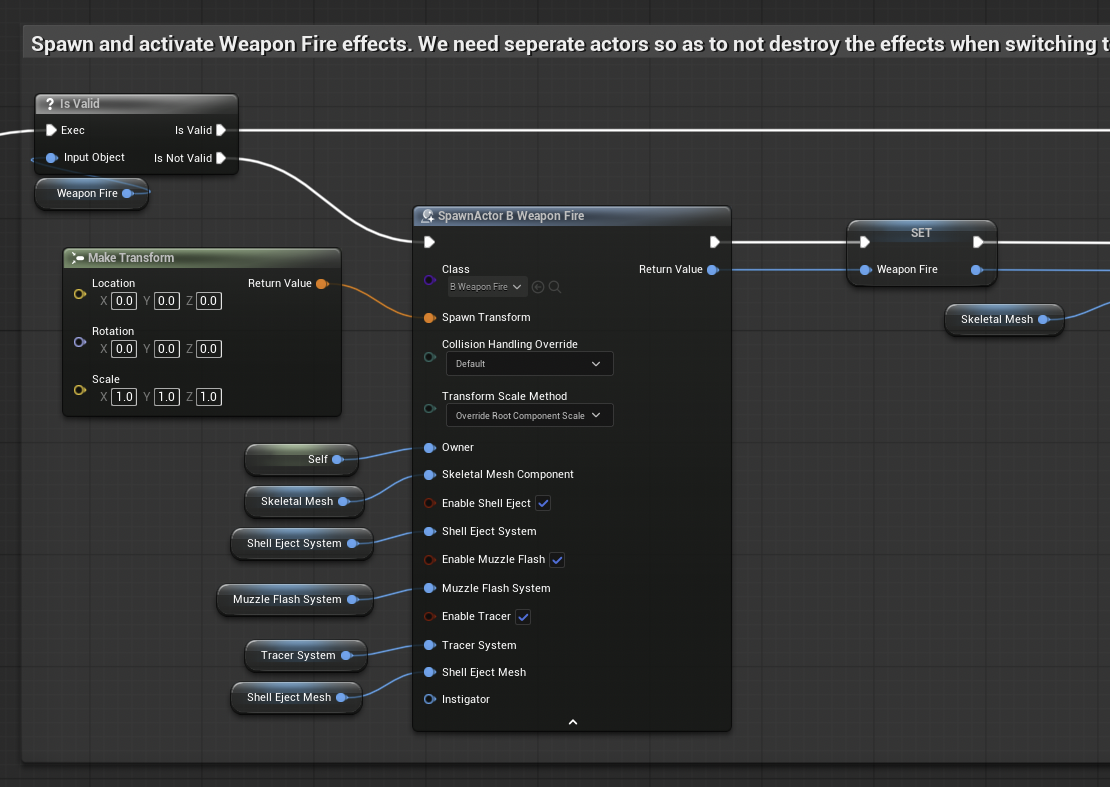
The weapon Blueprint implements the NiagaraParticleCallbackHandler interface, so every shell impact arrives as an EventReceiveParticleData call. The handler is wired at spawn: the fire-effect actor caches the shell system and sets the callback object to its owning weapon — and fire effects are deliberately separate actors, so switching weapon slots never destroys live shells mid-flight.
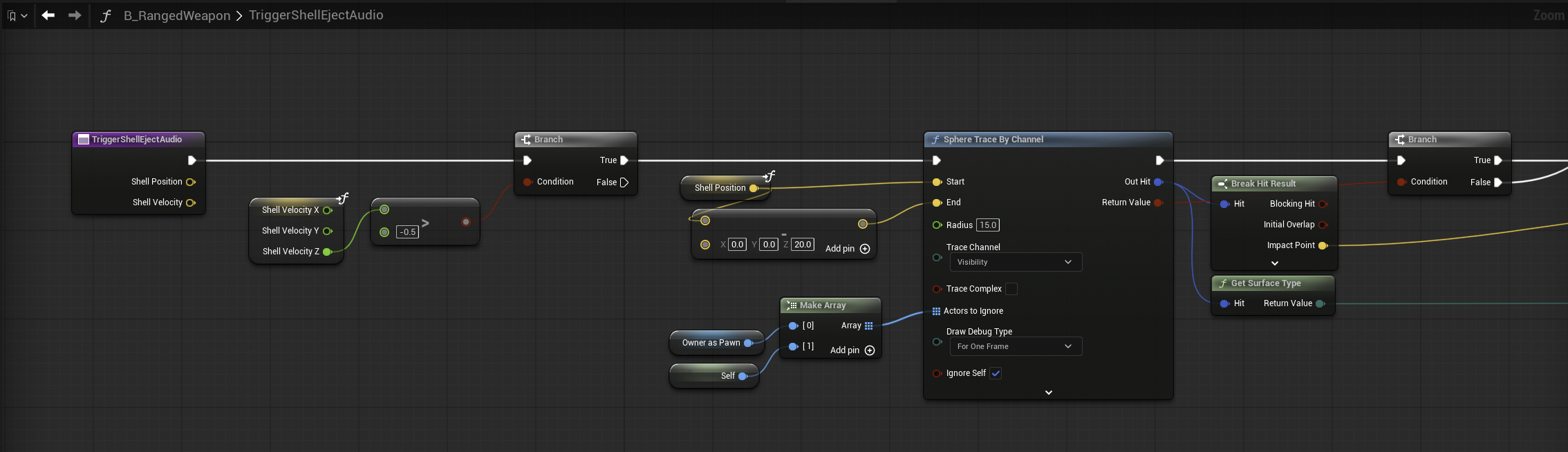
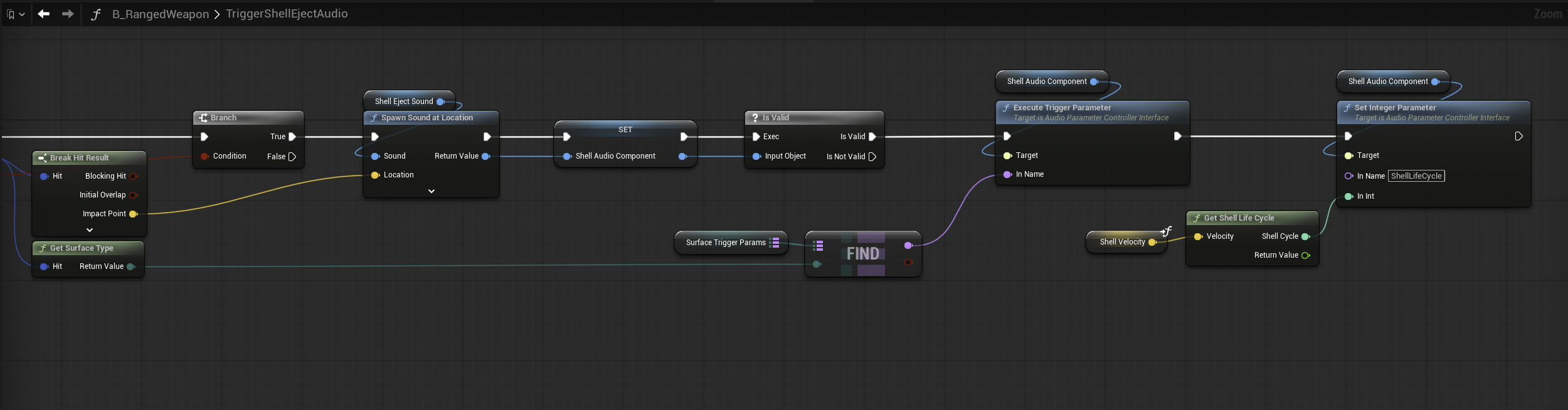
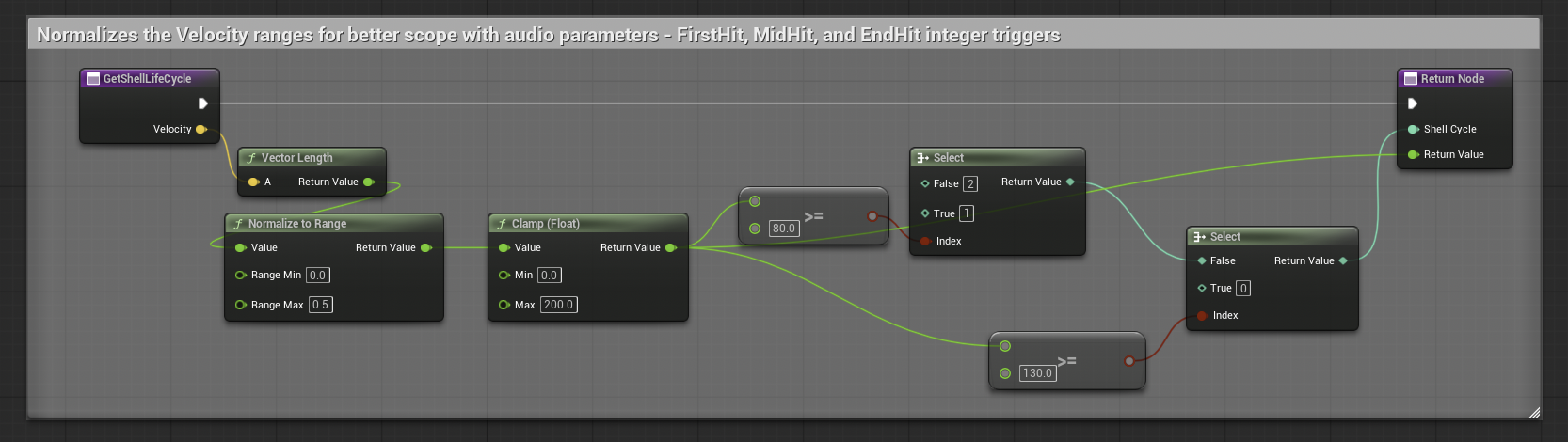
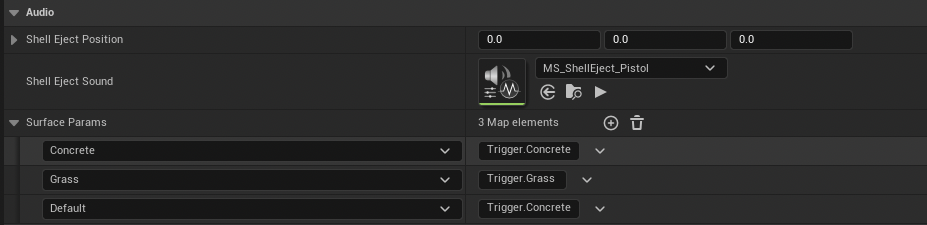
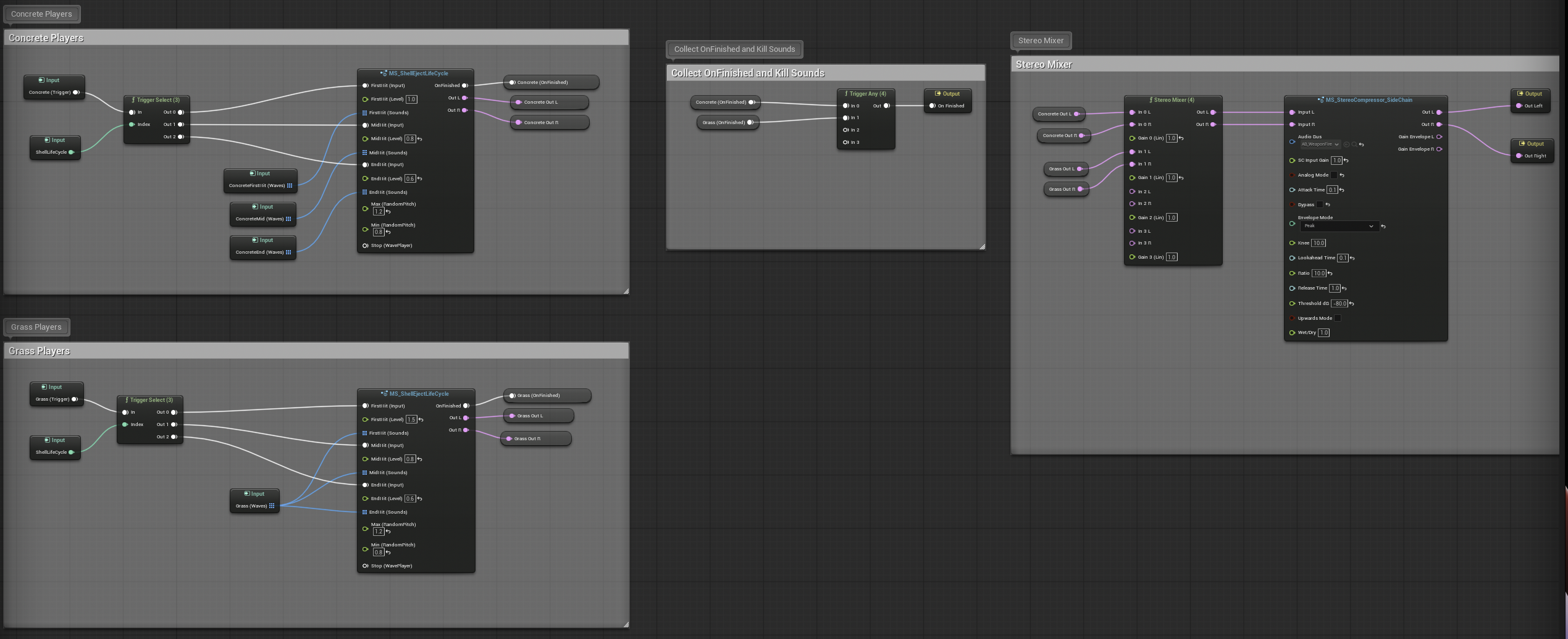
Before any of that work runs, EventReceiveParticleData gates itself with an ObserveTeam check: only player-team weapons (Team 1) execute the data loop, while AI weapons — auto-assigned Team 2 by the team creation component — skip shell foley entirely. On each player callback, TriggerShellEjectAudio sphere-traces at the shell's reported position, resolves the physical surface, and spawns the impact sound at the exact landing point. A SurfaceParams map (EPhysicalSurface → FName) routes the surface to a trigger preset inside the shell-eject MetaSound via ExecuteTriggerParameter — concrete rings, grass thuds — and a pure GetShellLifeCycle library function converts the impact velocity's length into the normalized lifecycle integer the MetaSound plays from.
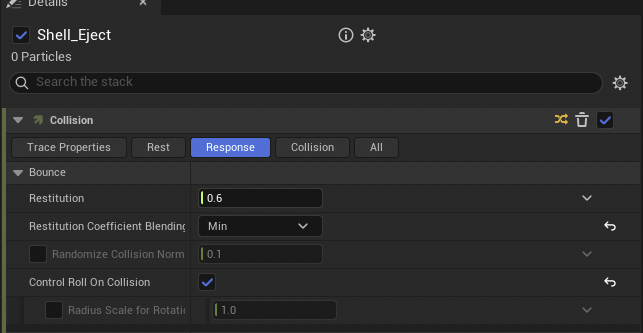
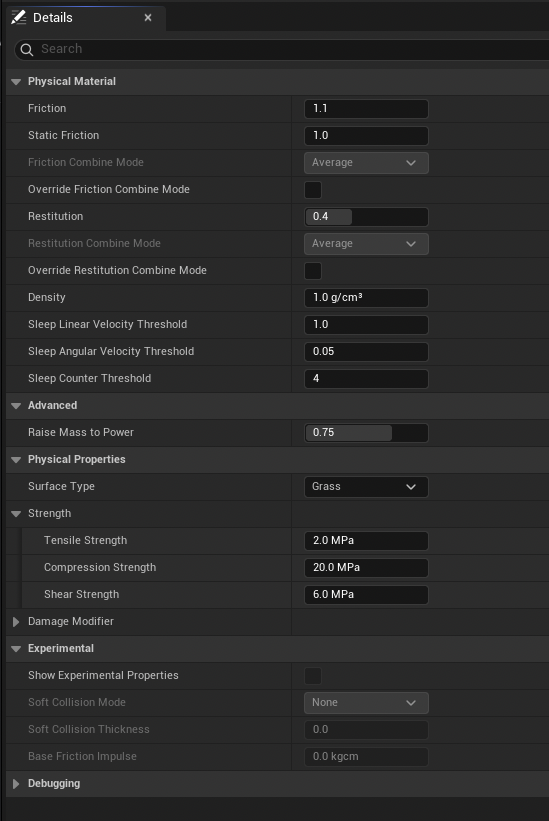
Bounce audio is restitution-aware: the shell system's restitution coefficient blending is set to minimum, so a soft physical material like grass wins the blend, and negative bounce velocities on high-restitution surfaces are skipped entirely — a shell landing in grass doesn't rattle like one on pavement. The eject sound and surface map are exposed per weapon in class defaults, so each weapon's brass carries its own character.
03 | MetaSound Design
Lifecycle, Not One-Shots
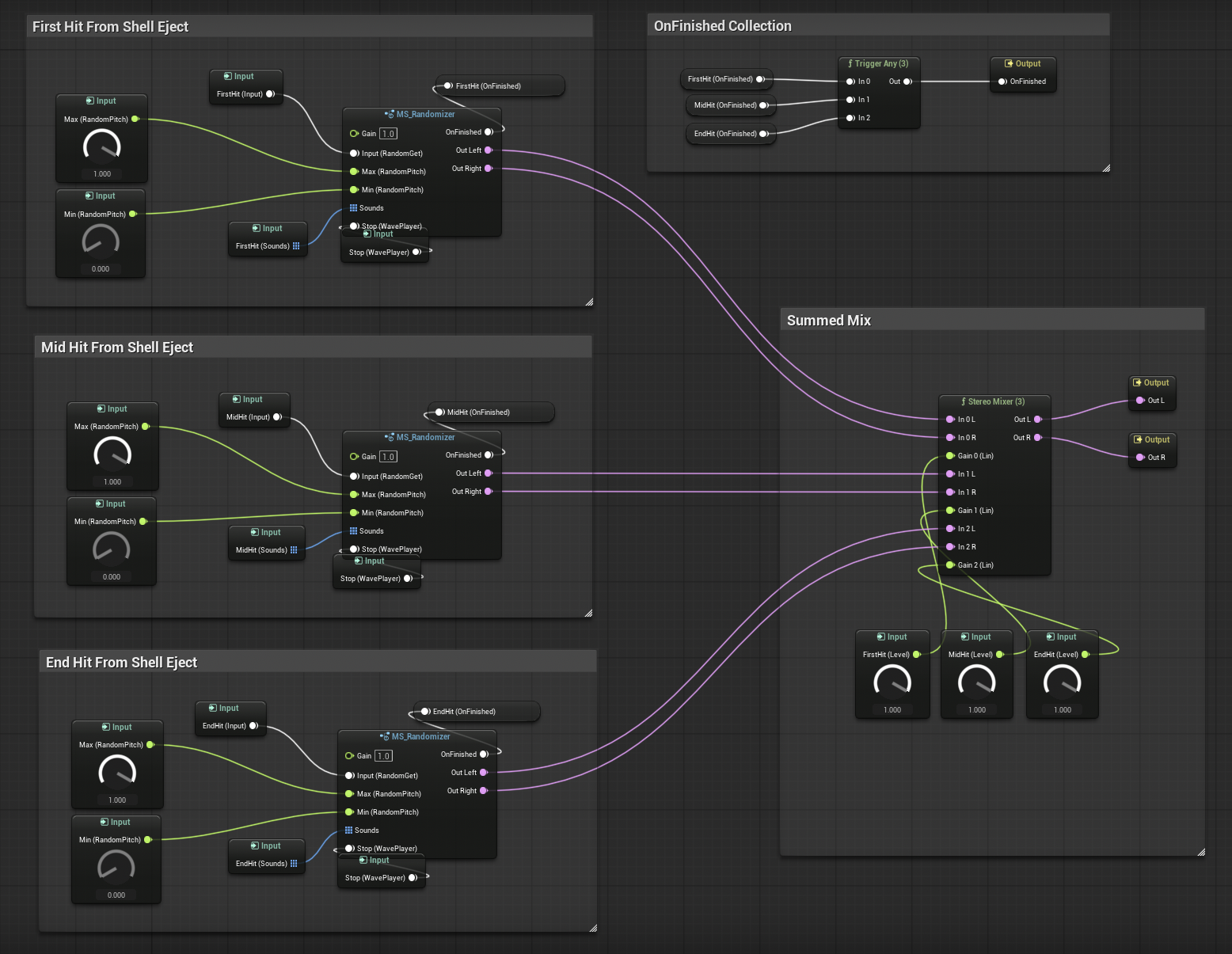
The shell impact MetaSound is built around a three-stage lifecycle — initial transient, varied mid hits, decay tail, summed into one mix — selected by the lifecycle integer that GetShellLifeCycle computes from the shell's particle velocity and sets on the graph. That reads far more naturally than a binary first-hit/bounce split, and it adds zero Niagara complexity: the physics already provides the velocity.
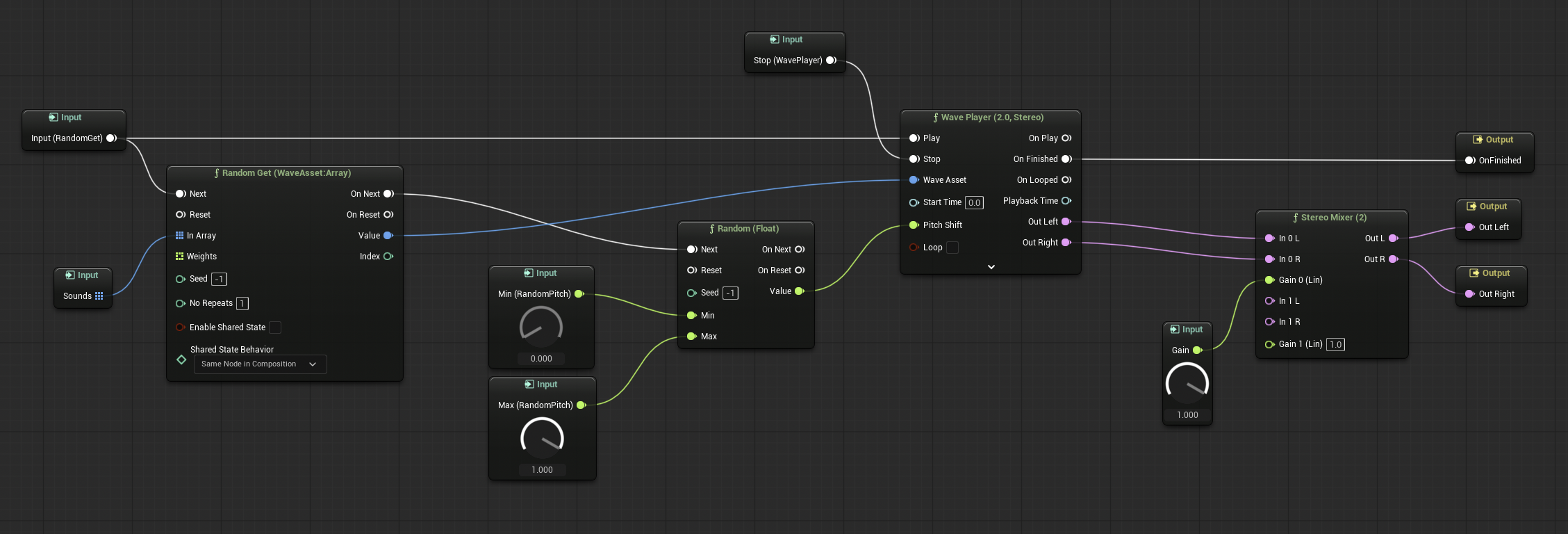
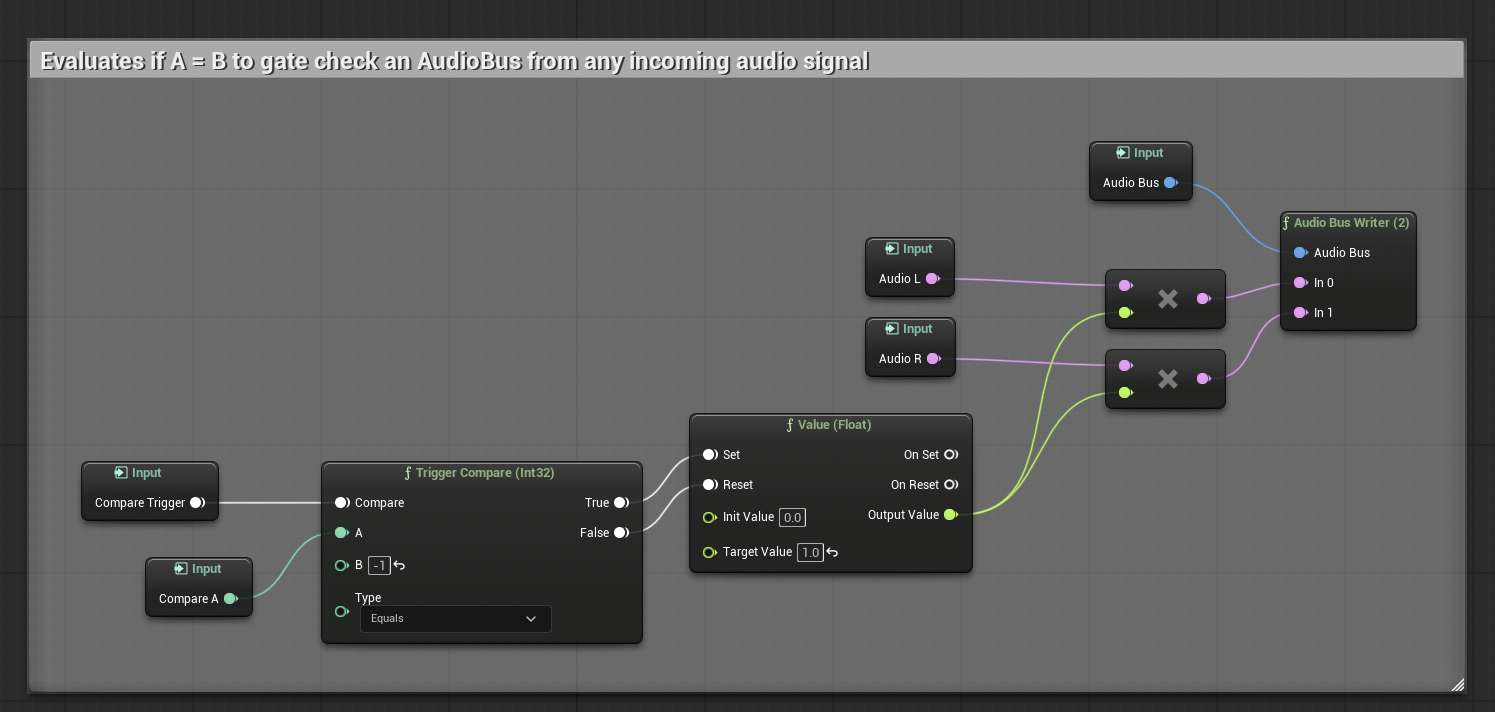
Shared logic lives in reusable MetaSound patches: a randomizer patch for wave selection and pitch/level variation, and a gated stereo bus-writer patch used by every weapon MetaSound — one piece of audio-routing logic instead of duplicated AudioBusWriter wiring in three graphs.
04 | Mix & Variation
Sidechain Ducking & PawnSeed
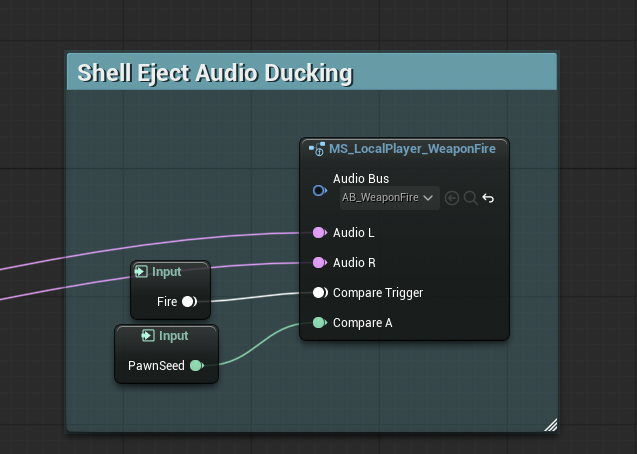
The weapon mix stays clean under fire through sidechain compression: after each weapon's punch wave player, the signal feeds a weapon-fire audio bus through the shared bus-writer patch, and a sidechain compressor on the shell-eject output ducks the brass while firing — shells read clearly between bursts without ever cluttering the gunshot itself.
The AudioBus gate is driven by PawnSeed, a deterministic per-spawn variation extracted from the pawn's instance name. The local player is always −1 (set via the WeaponAudioFunction library), so only local-player gunfire ducks local-player shell eject audio. This eliminates unnecessary budget for a player-only perceived sound. The accepted trade-offs (cross-class index collisions, ten-instance wraparound) were chosen deliberately: a fuller hash would solve both but adds cost rarely justified by perceptual gain at expected enemy counts.
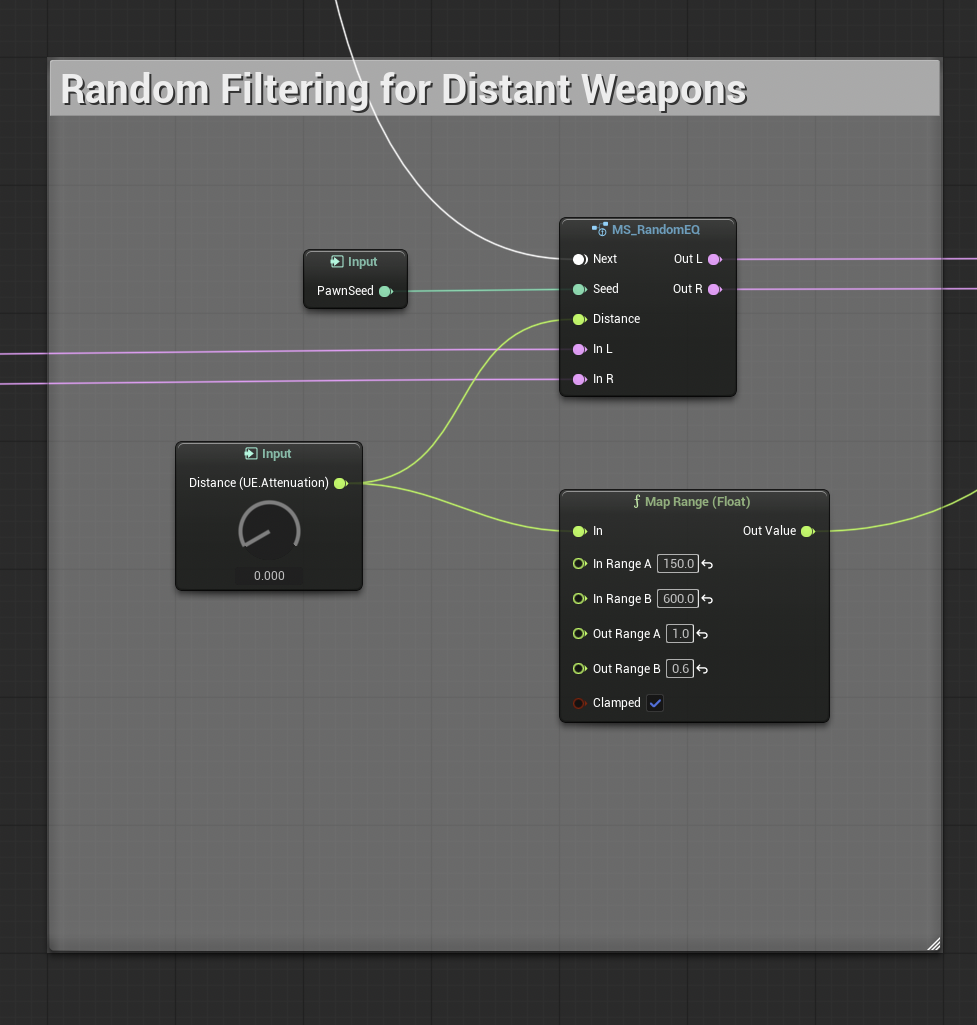
The same seed buys per-enemy audio character for free: it seeds a randomized EQ on enemy weapon fire, and a distance-mapped filter (attenuation distance remapped 150–600 units → full to 0.6) progressively thins shots the further away they originate — so a distant firefight sits behind the player's own weapon instead of competing with it.
Weapon audio is one system inside RedCell — see the full weapon systems page and the Audio & Music overview for the gameplay side.